22
February 2017
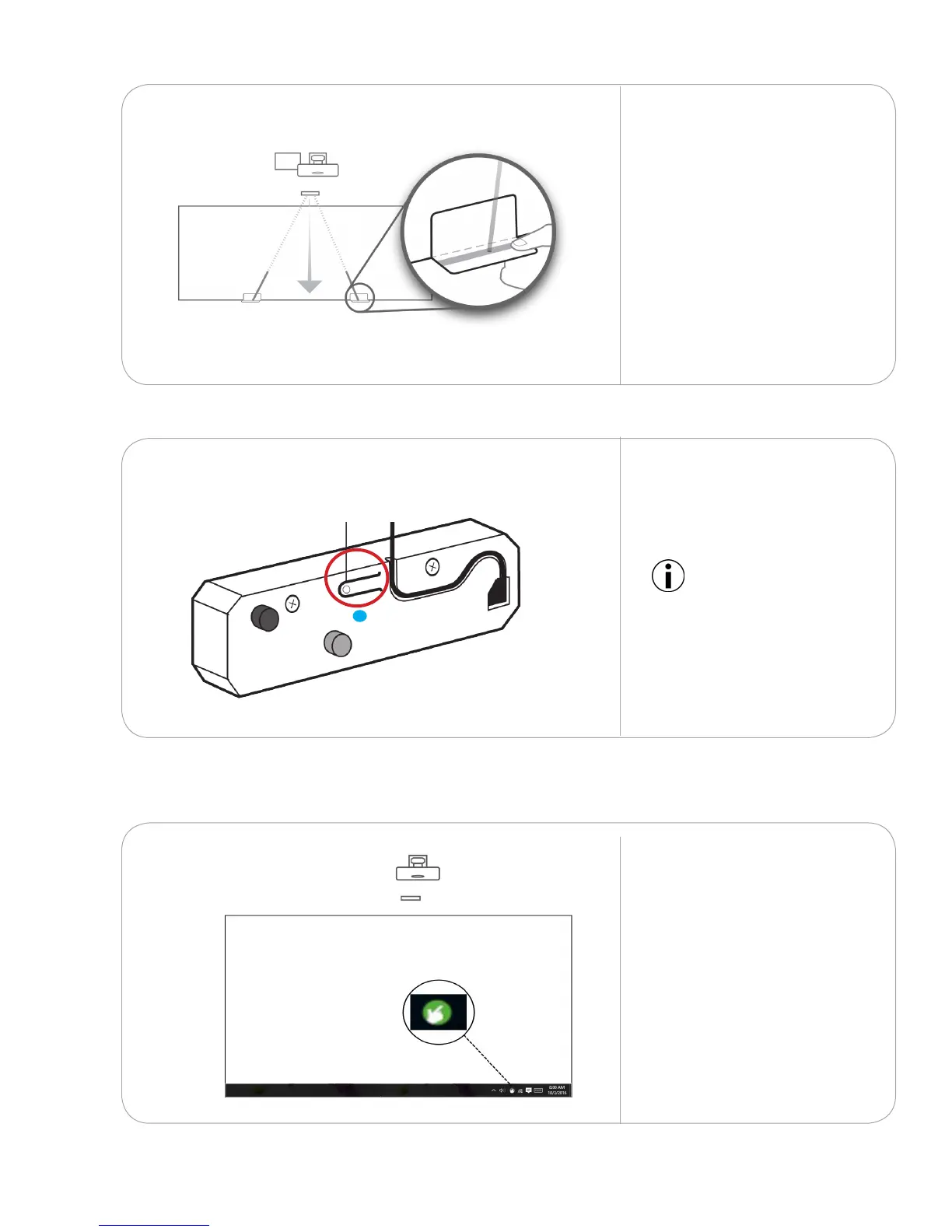
Slide the card diagonally
toward the touch module
to check if the dot stays
within the grey zone all the
way to the top. Repeat this
process on the other beam.
Ensure both beams are an
equal distance from the wall.
8.1.7
Press the adjustment button
to switch o adjustment
mode. The LED will turn a
solid blue.
8.1.8
Launch the touch driver
from the icon located on
the desktop task bar.
8.2.1
ADJUSTMENT ON/OFFADJUSTMENT ON/OFF
IMPORTANT: Touch does not
function when the module
is in adjustment mode.
Touch driver settings8.2
Adjustment mode on/o



 To Next Page