11
February 2017
Install the wall mount boom and projector
3.1.1
3.1.2
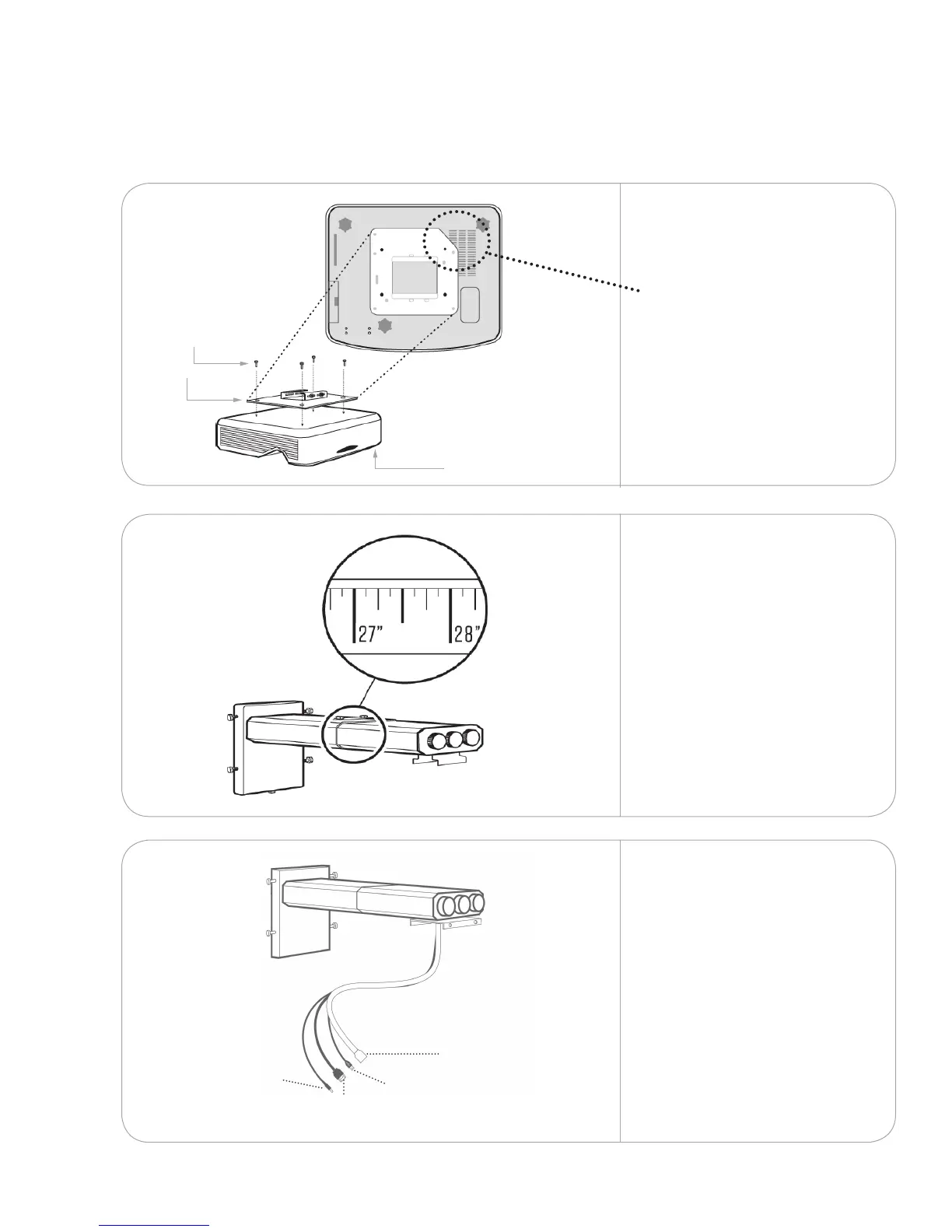
Attach the projector plate(s)
with four of the screws
provided.
Position the plate so the
angled edge is closest to the
projector vent.
Feed the projector power
cord, mini USB cable, HDMI
cables and touch module
cord through the wall mount
boom. Ensure the correct
connector ends are being
fed through. Repeat with the
remaining booms.
Adjust the boom length to
• 27.5” for NPSi-1projector
• 17.5” for NPSi1080-1
projector
and tighten the top bolts.
Repeat with the remaining
booms.
note: If the mount or projection
surface is extended or recessed,
add or subtract the dierence
from this measurement.
3.1.3
Install the hardware
3.
Q
N
A
3.1
HDMI
Y
Projector
power
E
Mini
USB
F
Touch module
power
G
x 4



 To Next Page