9
February 2017
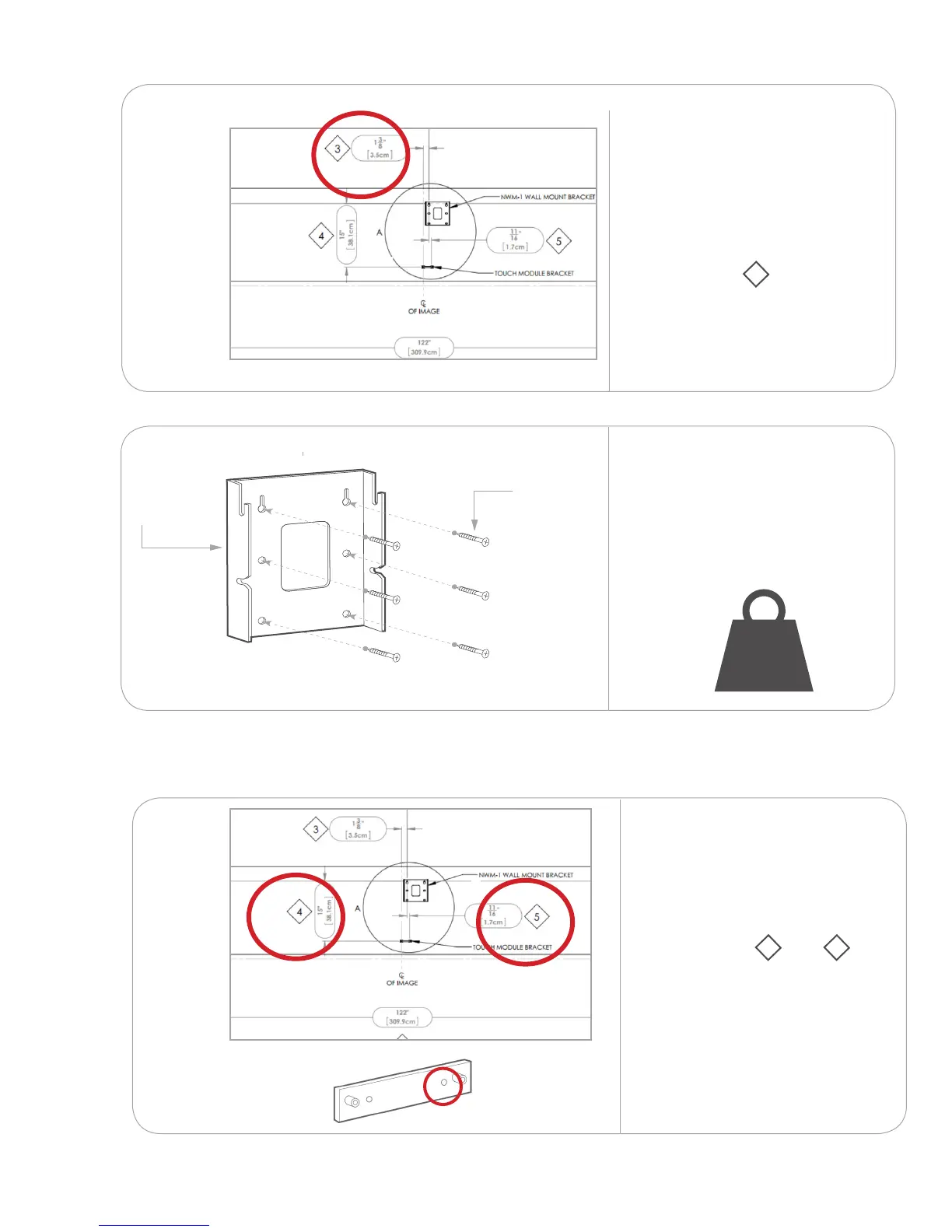
Measure from the spot you
marked on the centerline to
the top left wall mount plate
hole. Mark the remaining wall
plate holes.
Refer to installation
measurement 3 on your
installation drawing.
Ensure the wall mount plate is
level.
Attach the wall mount plate(s)
to the wall using screws and
anchors capable of supporting
132 lb. (60 kg).
V ×6
M
33 lb
(15 kg)
2.2
Measure down and over from
the top-left hole of the wall
mount plate to the inside-right
hole on the touch module
bracket.
Refer to installation
measurement 4 and 5
on your installation drawing.
NOTE: If you are installing a
Da-Lite screen, the touch
module brackets are installed
as part of the screen. Follow
the instructions provided with
the screen to install the touch
module brackets.
xx
xx
xx
2.1.4
2.1.5
Install the touch module bracket(s)
2.2.1
.
132 lb.
(60 kg)



 To Next Page