NUVO
®
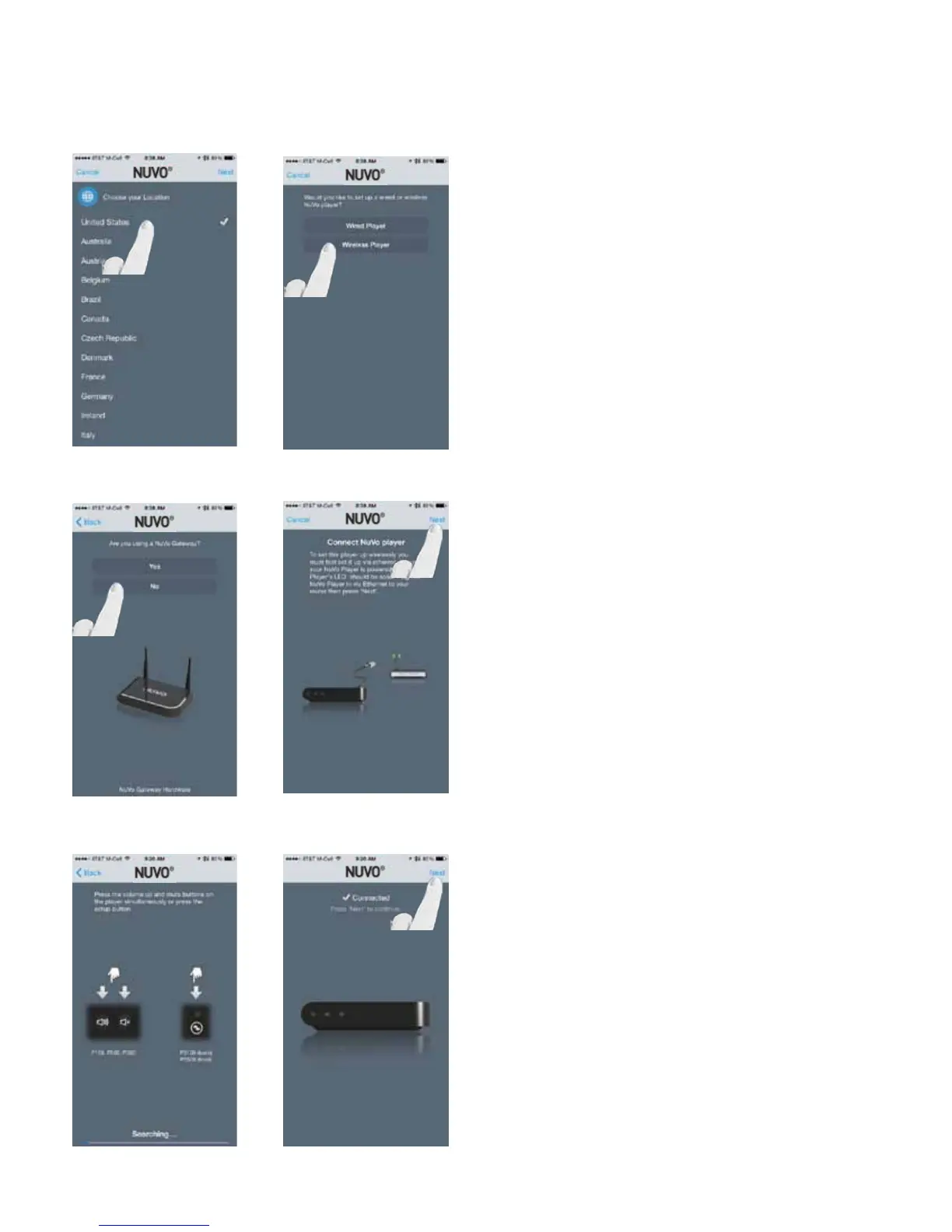
Fig. 11
Select your location and press “Next.” (Fig. 11)
Select “Wireless Player.” (Fig. 12)
Fig. 12
Fig. 13
Select “No” as the response to “Are you using a Nuvo Gate-
way?” (Fig. 13)
Ensure that the wireless zone is attached to a Ethernet con-
nection that is on the same network as the smart phone or
tablet running the Nuvo Player app, and press “Next.” (Fig.
14)
Press the VOLUME UP and MUTE buttons simultaneously on
the wireless player to initiate the binding process. (Fig. 15)
Once bound, the wireless player will show as Connected.
Then press “Next.” (Fig. 16)
Fig. 14
Fig. 15
Fig. 16
16



 To Next Page