NUVO
®
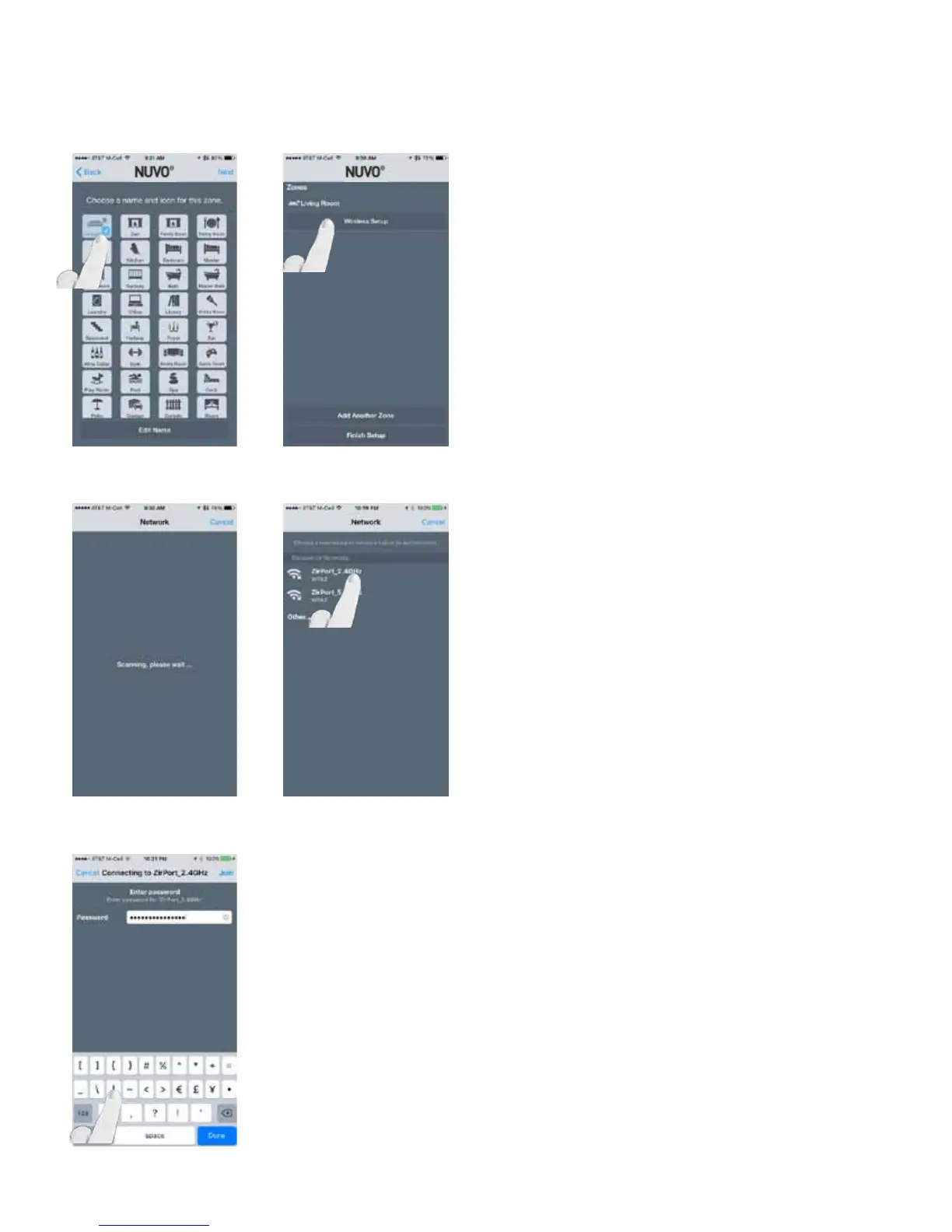
Choose a name for the zone and press “Next” to enter the
Wireless Setup step. NOTE: A name can be later edited
by selecting “Edit Name,” shown at the bottom of the app
screen. (Fig. 17)
Select “Wireless Setup” to search for available wireless net-
works. (Fig. 18, Fig. 19)
After the networks have been discovered, select the network
which the Nuvo Player app is connected to. (Fig. 20)
Enter the password for the selected wireless network and
press “Join.” (Fig. 21)
Fig. 17
Fig. 18
Fig. 19
Fig. 20
Fig. 21
17



 To Next Page