NUVO
®
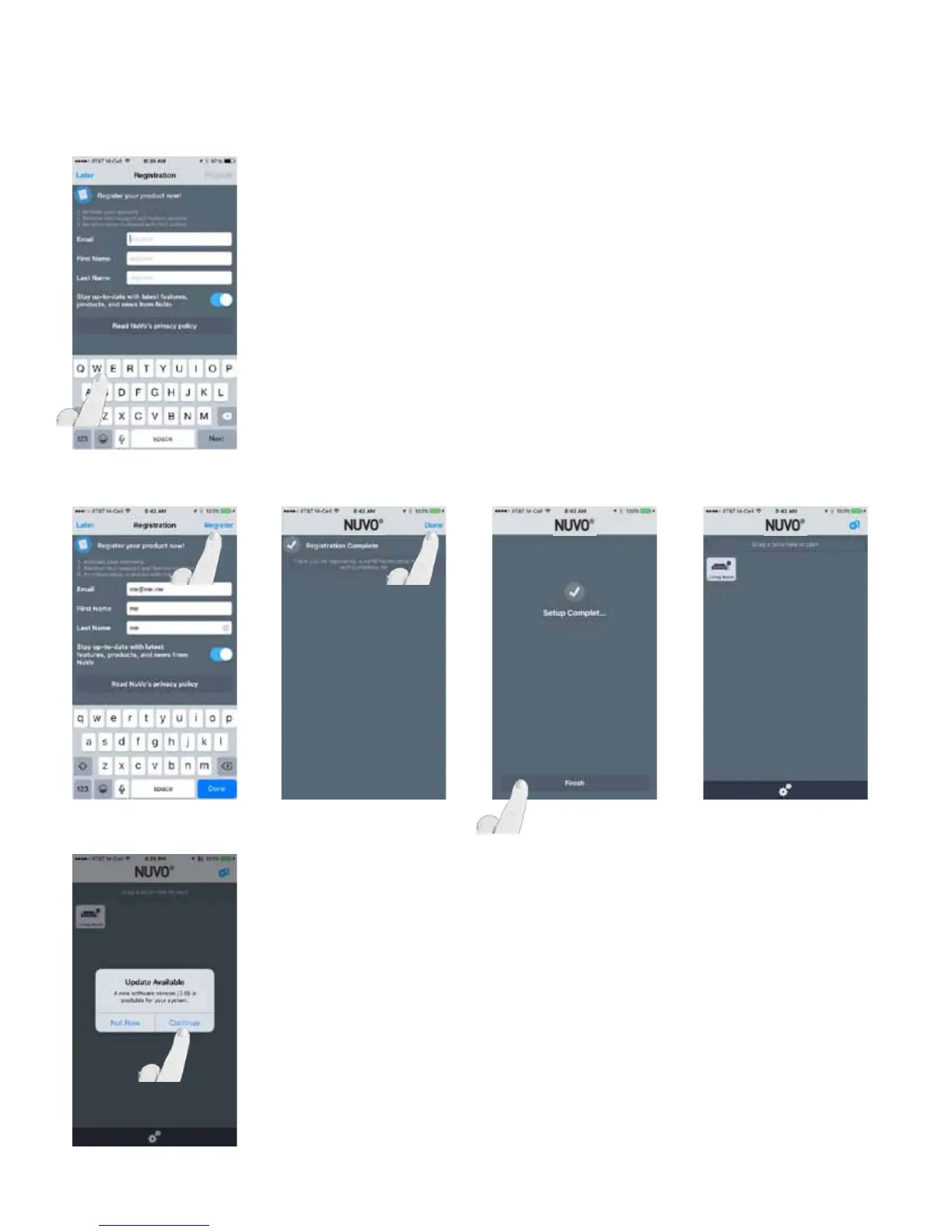
Once all desired wireless players have been added and their
wireless setups have been completed, select “Finish Setup”
and complete the registration or select “Later.”
Once registration is complete, the app will display “Setup
Complete!” Select “Finish” and the Player app will jump to
the home screen. (Fig. 27, Fig. 28, Fig. 29, Fig. 30, Fig. 31)
Fig. 27
Fig. 28 Fig. 29 Fig. 30 Fig. 31
Remove the Ethernet connections from the units.
NOTE: A software update may be necessary for any Nuvo
components. If prompted with an update, select “Continue”
to update the firmware. (Fig. 32)
Fig. 32
19


 To Next Page