6.5 Migrating a device to the EasyEVSE dashboard
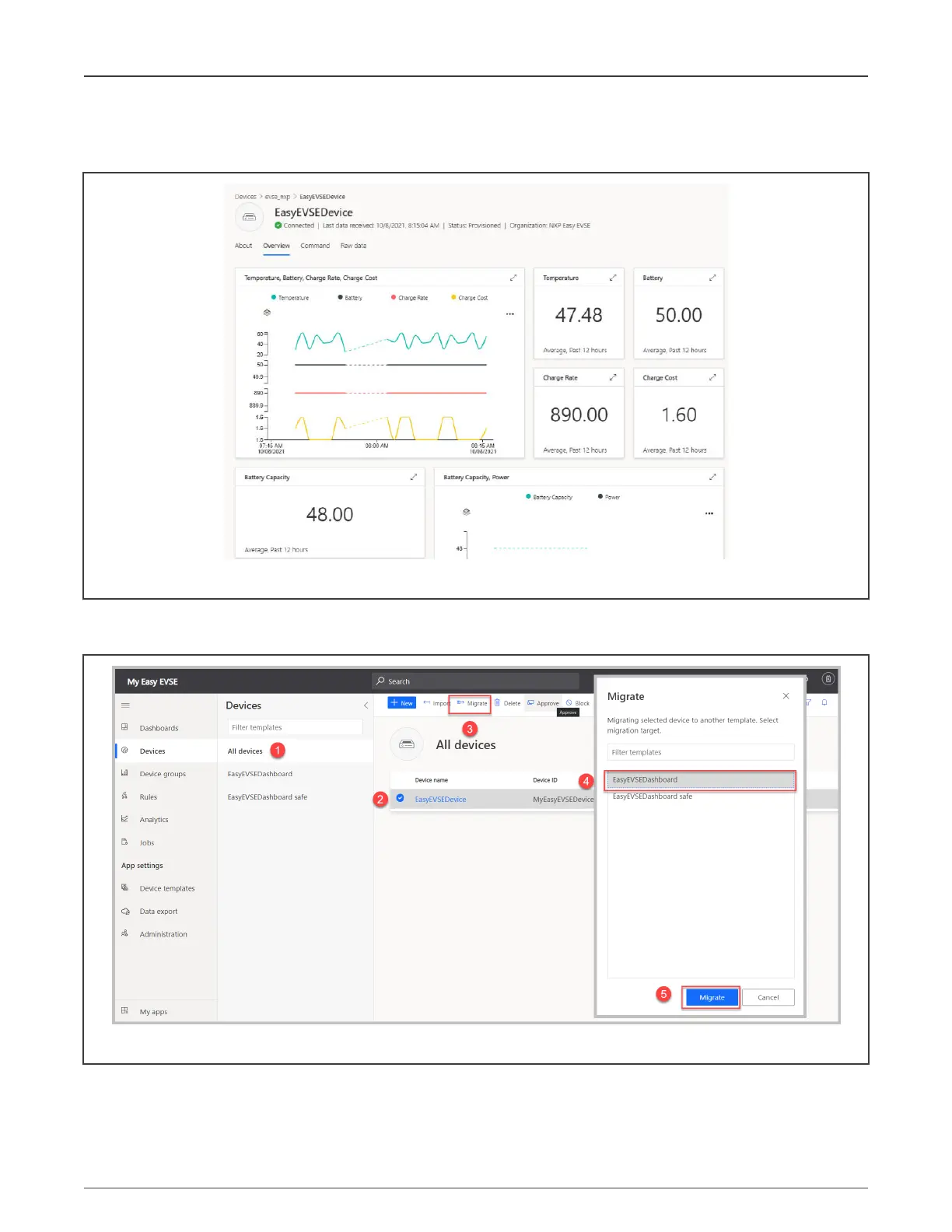
When a new device is created, connected, and sending telemetry, it will have the default dashboard view.
Figure 40. Default dashboard view
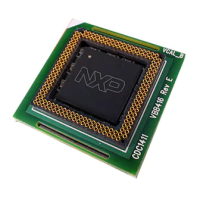
The recently created device or EasyEVSEDevice must be migrated to the EasyEVSE Dashboard to visualize the device properties
and telemetry. The steps to perform this operation are shown in Figure 41.
Figure 41. Assigning a device to the EasyEVSEDashboard
After the migration is complete, the dashboard will look similar to Figure 12.
Terminate your current debug sessiuon and disconnect the i.MX RT106x from any power supply. This is needed to perform the
setup required in the next chapter.
NXP Semiconductors
Device registration
NXP EasyEVSE EV Charging Station Development Platform User Guide, Rev. 0, 18 March 2022
User Guide 32 / 64



 To Next Page