LOADING PAPER
2-8
Loading paper in the multi purpose drawer (the upper tray of
the stand/3 x 500 sheet paper drawer or stand/MPD & 2000
sheet paper drawer)
The method of loading paper into the multipurpose drawer is the same as for paper tray 1 described on page 2-2.
For specifications of paper, see page 2-3. When loading envelopes, postcards or transparency film, follow the
descriptions below.
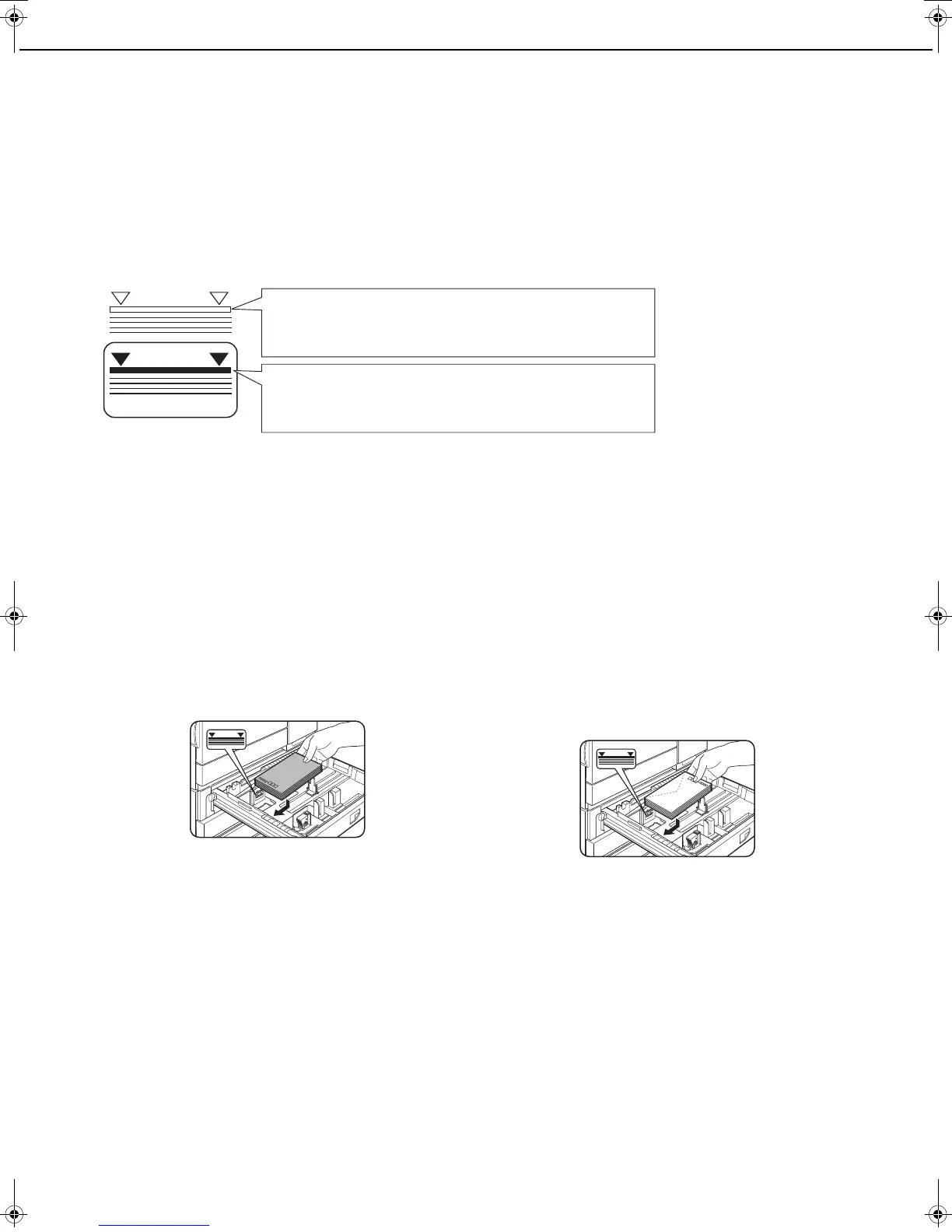
● Two maximum height lines are indicated: one for plain paper and one for special paper.
■ How to change the paper size
To change the paper size or paper type when paper is loaded into the multi purpose drawer, refer to page 2-5 for
details.
■ Setting envelopes or postcards
When setting envelopes or postcards in the multi purpose drawer, set them in the orientation shown below.
Loading postcards
Load postcards print side up to the rear left of the tray
as shown.
Loading envelopes
Envelopes can only be printed on the address side. Be
sure to place envelopes with the address side up and
the top of the envelope to the rear.
Printing onto envelopes or postcards
● Attempting to print onto both sides of envelopes or postcards may result in misfeeds or poor prints.
● Do not use paper that has already been printed on by a thermal transfer or inkjet printer. In particular, paper
that has been printed on by a thermal transfer printer (such as a word processor that uses a cassette) may
cause missing characters and smudges.
● To avoid wrinkling, misfeeds or poor printing, make sure the postcard or envelopes stock is not curled.
Maximum height line for plain paper
Do not exceed this line when loading plain paper.
Maximum height line special paper (red line)
Do not exceed this line when loading special paper.
Copy_SEC.book 8 ページ 2007年9月12日 水曜日 午後1時33分



 To Next Page