VarioLink 5022/VarioLink 4222/VarioLink 3622 8-24
User mode settings
8
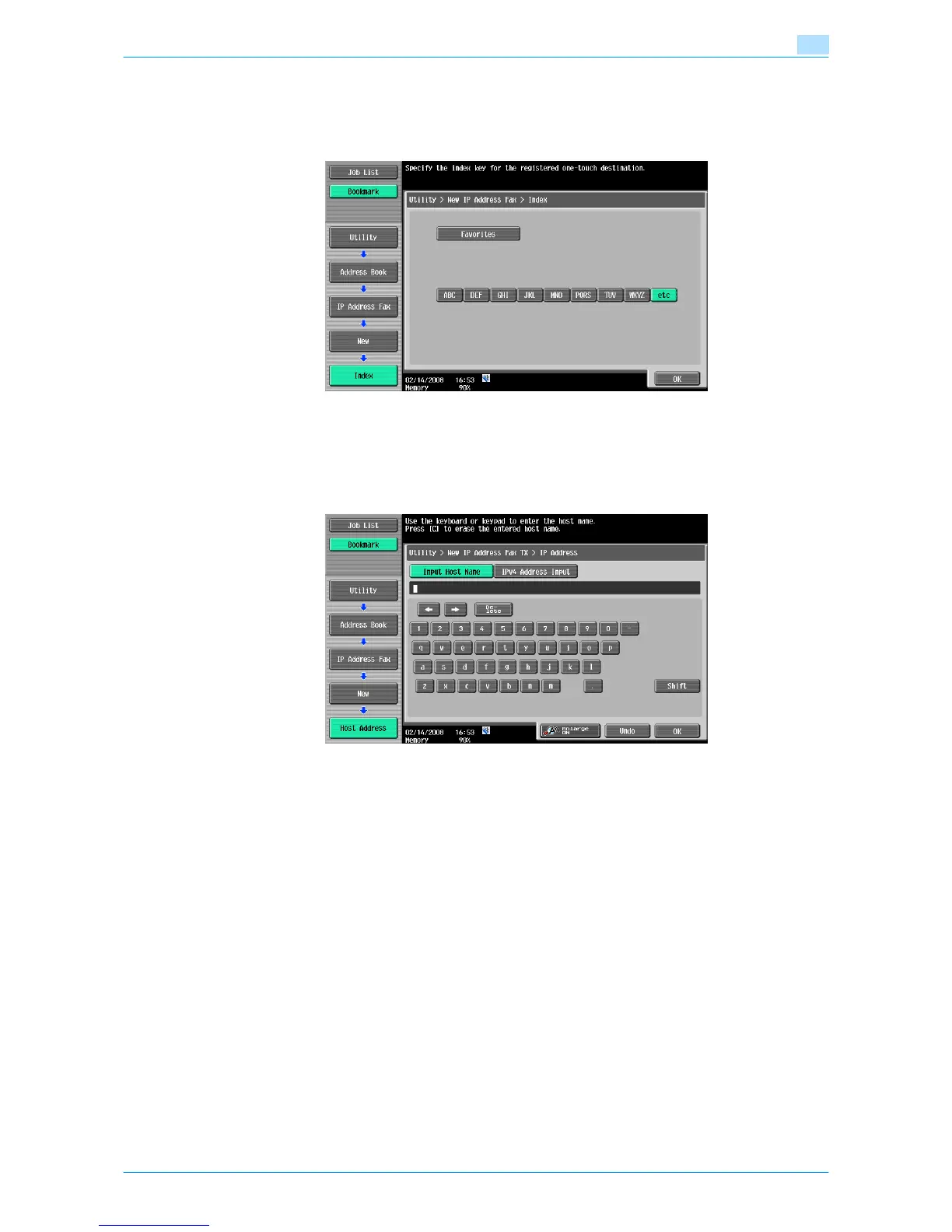
Index
Select the index characters. For frequently used destinations, simultaneously specify them in [Favorites]. This
setting speeds up searches.
Host Address
Enter the host address for the destination device in the format of a host name, IPv4 address or IPv6 address.
For a host name, enter 63 characters or less.
!
Detail
When the input format is switched to the IP address input mode after the host name was entered, the
host name is cleared.
Touching [Input Host Name] after entering the IP address holds the input IP address and displays it in
the character input screen.
Before entering a host name, check that the DNS setting is correctly specified. For details, refer to the
User’s Guide [Network Administrator].
Port Number
Enter the port number. (Range: 1 to 65535)














 To Next Page