- 5 -
8) Sleep timer
• Enable the timer to turn the radio in standby after the
selected time elapsed.
9) Configuration (No Wi-Fi or Internet)
• Set up options to personalize the radio and information
center
Precautions
Charge the battery until the LED changes from Red to Green
with a USB charger and the USB-C cable provided – do not
apply any other power source or permanent damage to the
radio may occur and be hazardous.
To clean use only a damp cloth and dry with a clean towel -
keep away from all liquids.
To avoid loss of warranty do not attempt to repair or remove
the cover for any reason.
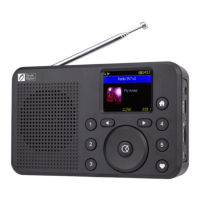
Introduction to the WR-18 Internet Radio













 To Next Page