- 8 -
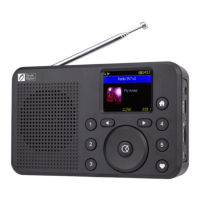
All user input is information that the Radio uses to provide the
desired audio entertainment and pressing the OK button a
confirmation (Select) and go to command.
Once a desired selection is displayed or highlighted the
selection is confirmed by pressing and releasing the OK
button.
Navigate to modes (i.e. My Favorite, Internet Radio, FM radio,
Media Center, Storage, Bluetooth, Sleep Timer or
Configuration) or a position in a list by using the Navigation
Control to Move Forward or Back until the desired mode is
displayed or highlighted and press the OK button to confirm
the selection.
Throughout this manual “Select” will mean navigating through
display screens or option lists to display or highlight desired
selection and confirming it by pressing and releasing the OK
button.
3/ Choosing modes and options













 To Next Page