10
Installation
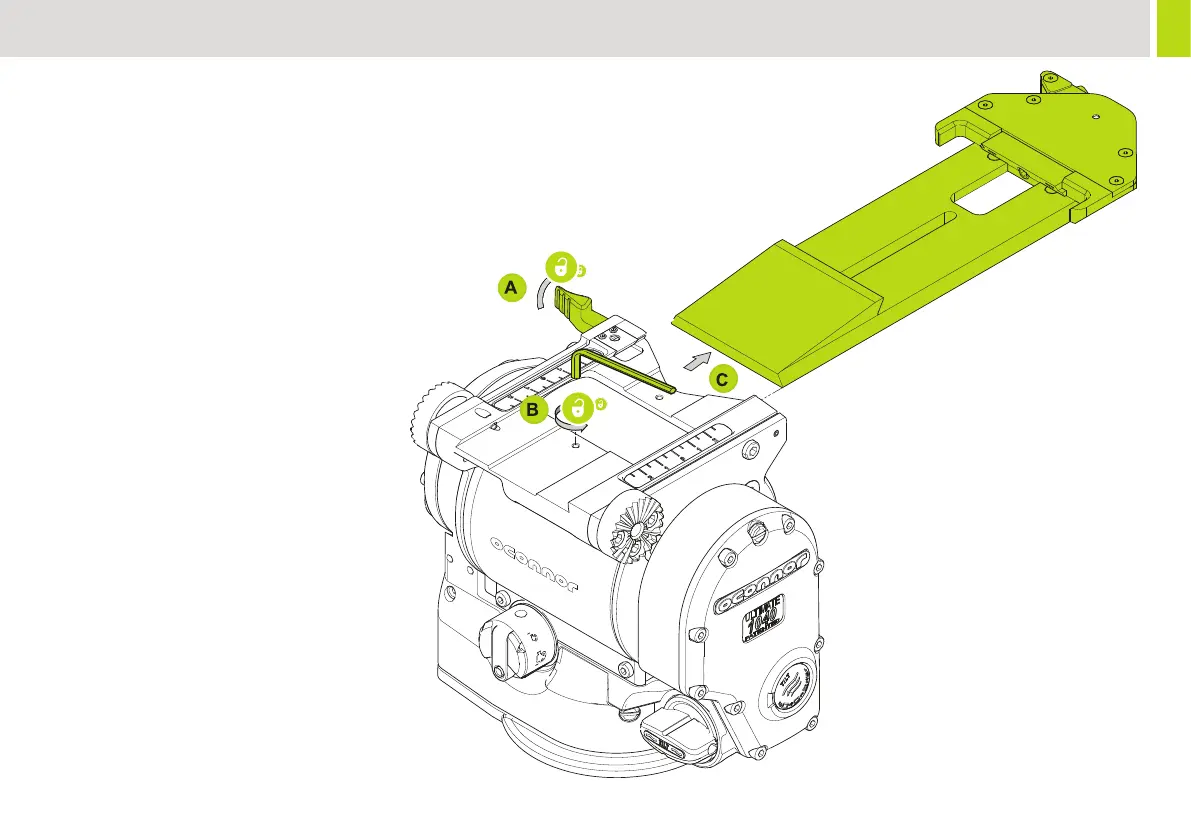
Remove / Install Camera Plate Platform
The camera plate can be installed facing front or rear depending on
the required load and balance requirements.
1. Remove the camera plate as described on “Mounting the
camera” on page 13.
2. Release the plate slide lock (A) by levering in a clockwise
direction.
3. Before sliding the plate away from the head,
remove the Hex stop screw (B).
4. Slide the platform forwards to remove from the head.


 To Next Page