ODYS Multi TV 700 Move
9
EN
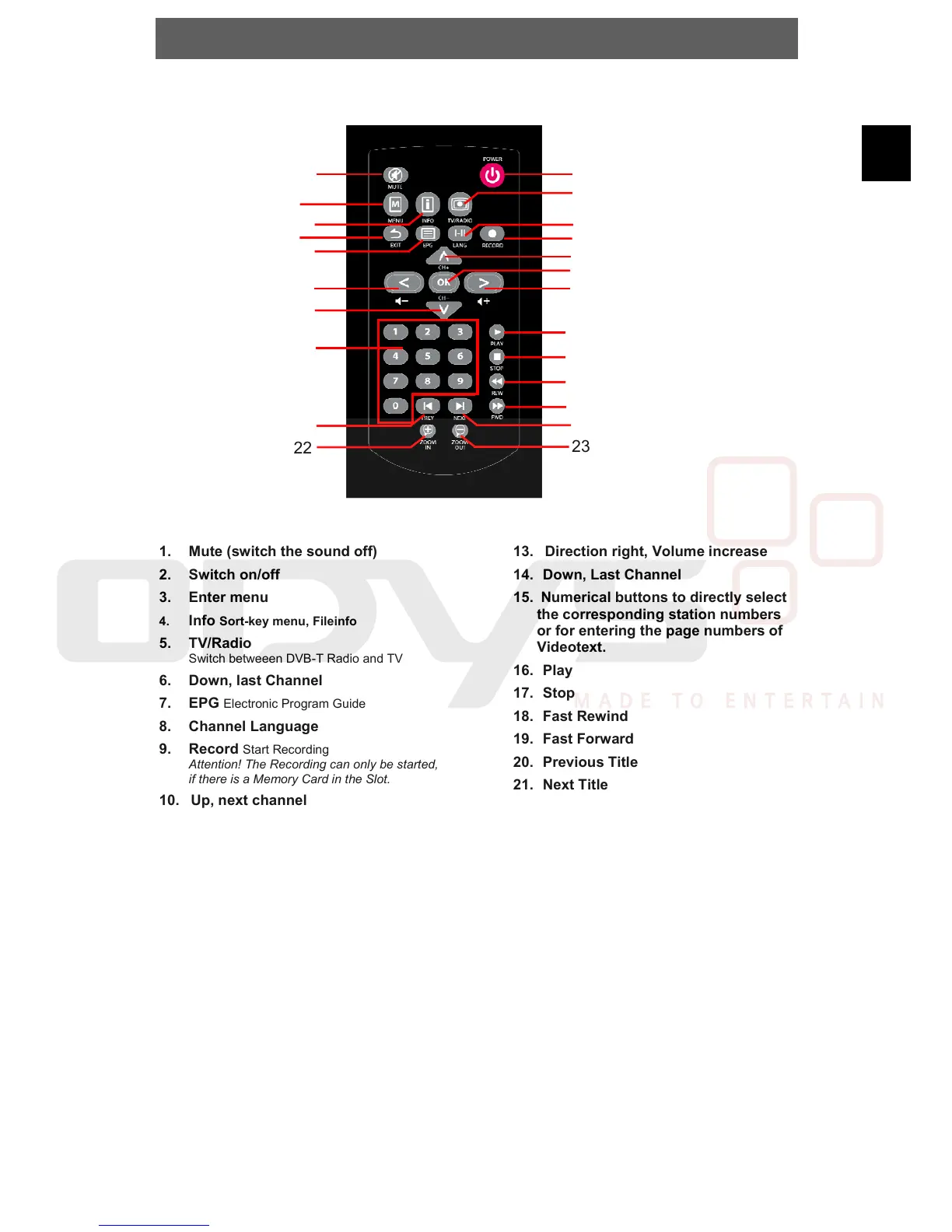
4.2 Buttons on the Remote Control
1. Mute (switch the sound off)
2. Switch on/off
3. Enter menu
4. Info Sort-key menu, Fileinfo
5. TV/Radio
Switch betweeen DVB-T Radio and TV
6. Down, last Channel
7. EPG
Electronic Program Guide
8. Channel Language
9. Record
Start Recording
Attention! The Recording can only be started,
if there is a Memory Card in the Slot.
10. Up, next channel
11. Direction left, Volume decrease
12. Select, short-key menu
13. Direction right, Volume increase
14. Down, Last Channel
15. Numerical buttons to directly select
the corresponding station numbers
or for entering the page numbers of
Videotext.
16. Play
17. Stop
18. Fast Rewind
19. Fast Forward
20. Previous Title
21. Next Title
22. Zoom In
23. Zoom Out
1
2
3
4
5
7
6
8
9
10
11
12
14
15
16
17
18
13
20
19
21
22
23



 To Next Page