IPX7A-ION Motherboard Reference Guide 21
8 BIOS Setup reference
Advanced
BIOS SETUP UTILITY
Advanced
F1
Configure CPU.
Select Screen
Select Item
Go to Sub Screen
General Help
Save and ExitF10
ExitESC
Enter
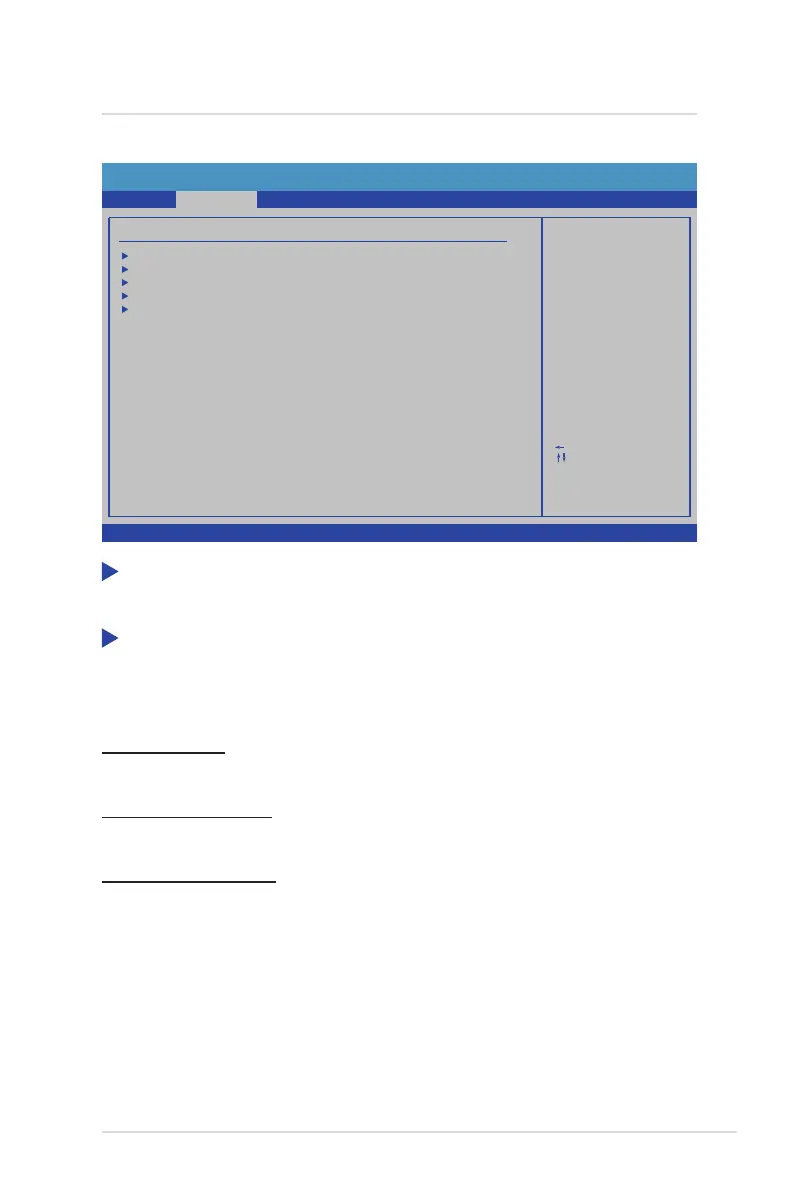
Advanced Settings
Main
CPU Configuration
SATA Configuration
USB Configuration
Hardware Health Configuration
Onboard Device Settings
v02.67 (C) Copyright 1985-2009, American Megatrends, Inc.
BootSecurity
Exit
Power
CPU Conguration
This item provides the auto-detected CPU specications.
SATA Conguration
The items in this menu allow you to set or change the congurations for the SATA
devices installed in the system. Select an item then press <Enter> if you wish to
congure the item.
SATA Controller
Default: [Enabled] / Options: [Disabled] [Enabled]
SATA Controller Mode
Default: [SATA Mode] / Options: [SATA Mode]
1st, 2nd, 3rd, 4th Drive
While entering Setup, the BIOS automatically detects the presence of SATA devices.
There is a separate sub-menu for each SATA device. Select a device item then press
<Enter> to display the SATA device information.


 To Next Page