26
IPX7A-ION Motherboard Reference Guide
8 BIOS Setup reference
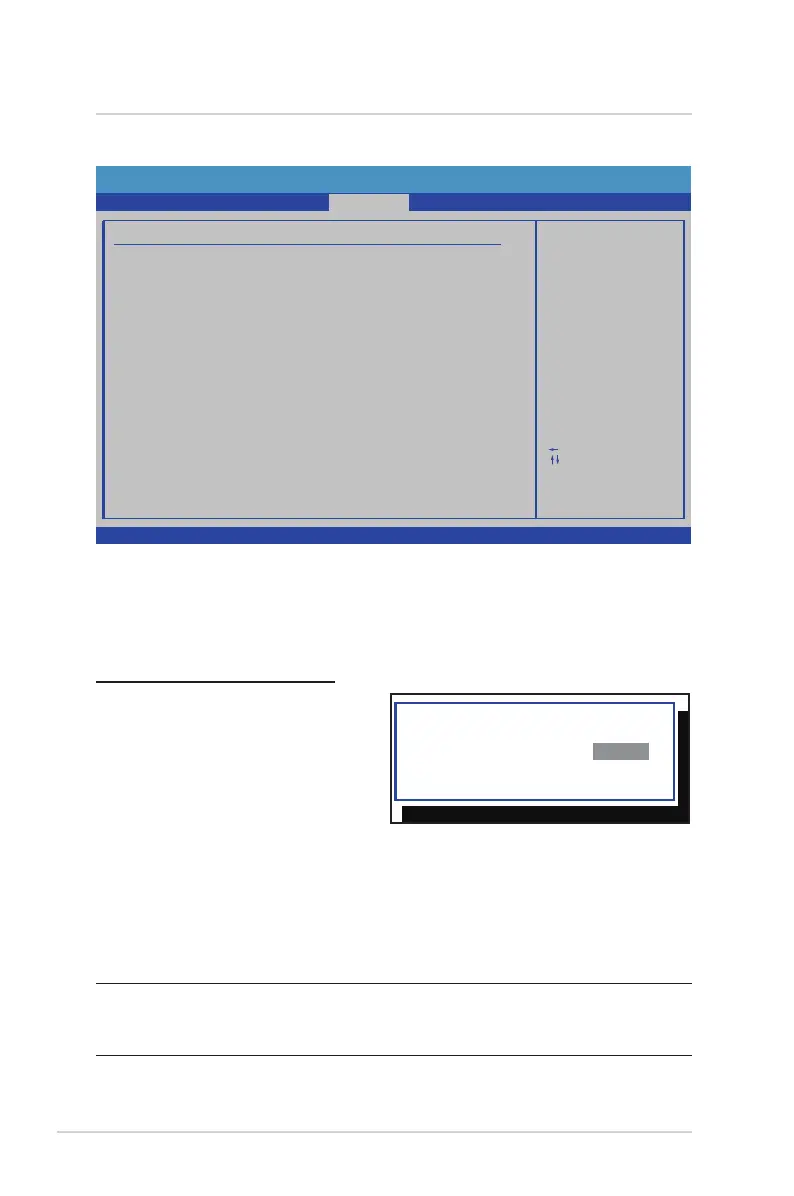
Security
BIOS SETUP UTILITY
Advanced
F1
Install or Change the
password.
Select Screen
Select Item
Change
General Help
Save and ExitF10
ExitESC
Enter
Security Settings
Main
Supervisor Password
Change Supervisor Password
:Not Installed
:Not InstalledUser Password
v02.67 (C) Copyright 1985-2009, American Megatrends, Inc.
Boot
Exit
Power
Security
Change Supervisor Password
Select this item to set or change the supervisor password. The Supervisor Pass-
word item on the top of the screen shows the default Not Installed. After you set a
password, this item shows Installed.
To Set A Supervisor Password:
1. Select the Change Supervisor
Password item and press <Enter>.
2. From the password box, type a
password composed of at least six
letters and/or numbers, then press
<Enter>.
3. Conrm the password when
prompted.
The message “Password Installed” appears after you successfully set your pass-
word. To change the supervisor password, follow the same steps as in setting a
user password. To clear the supervisor password, select the Change Supervisor
Password then press <Enter>. The message “Password Uninstalled” appears.
NOTE: If you forget your BIOS password, you can clear it by erasing the
CMOS Real Time Clock (RTC) RAM. See your hardware documentation for
information on how to erase the RTC RAM.


 To Next Page