Quick Start
Color EditorGeneral InformationQuick StartMain ScreenInstallationIntroductionTable of Contents
Mini Magic Box - Design Card Converter
Software Manual
102
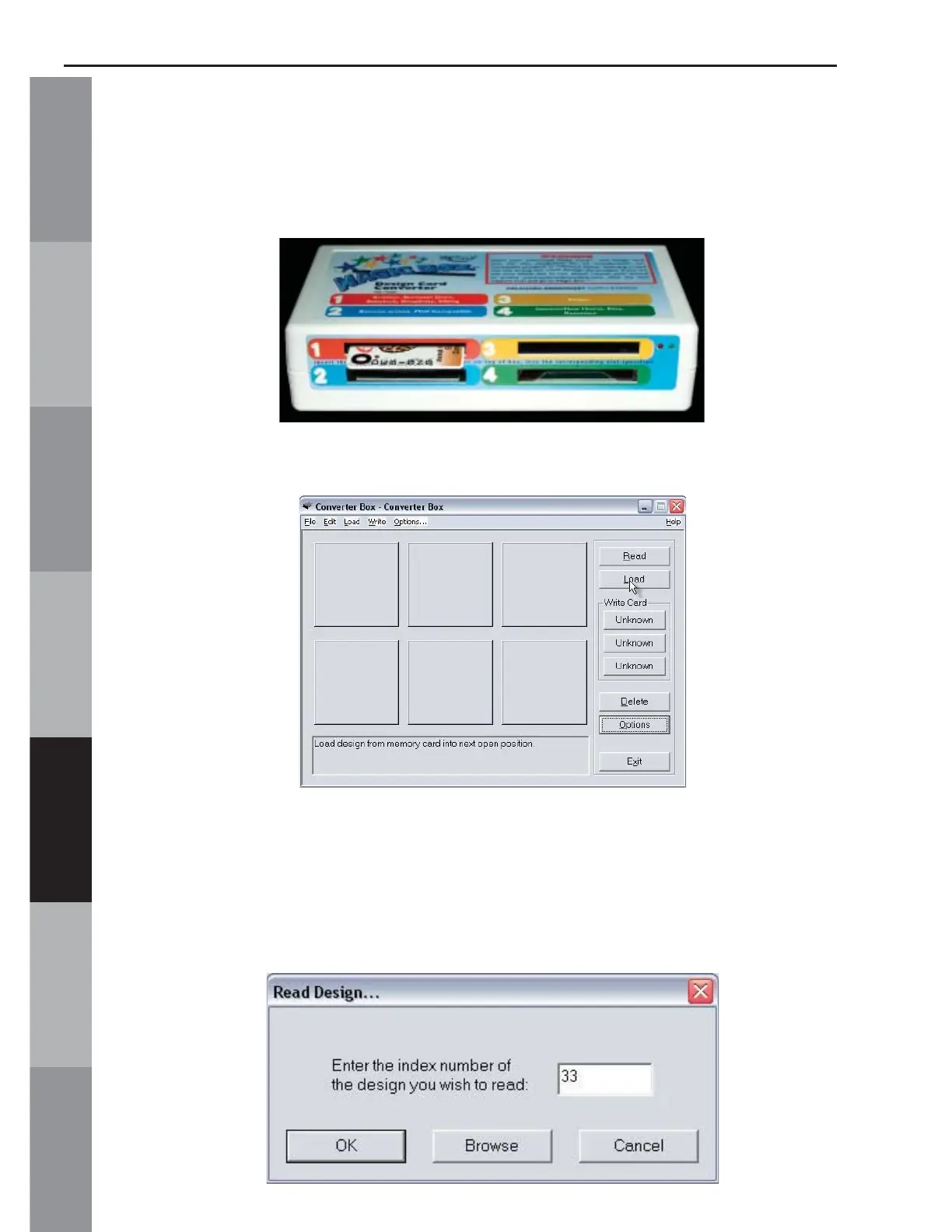
4. Insert the design card into the correct card slot on the
Magic Box. In this lesson, a Brother/Babylock/Deco compatible
“Animals Instincts” Design Card is being used. It fi ts into slot #1.
5. Click the Load button from the right hand side of the
Converter Box window.
6. The Read Design window will appear. Click in the Index
Number box and type in the number of the desired design. (The
design number is found on the embroidery card thread chart.)
Click OK. Wait while the Magic Box reads the design card.



 To Next Page