Main Screen
Color EditorGeneral InformationQuick StartMain ScreenInstallationIntroductionTable of Contents
Mini Magic Box - Design Card Converter
Mini Magic Box - Design Card Converter
Software Manual
72
Main Screen
Mini Magic Box - Design Card Converter
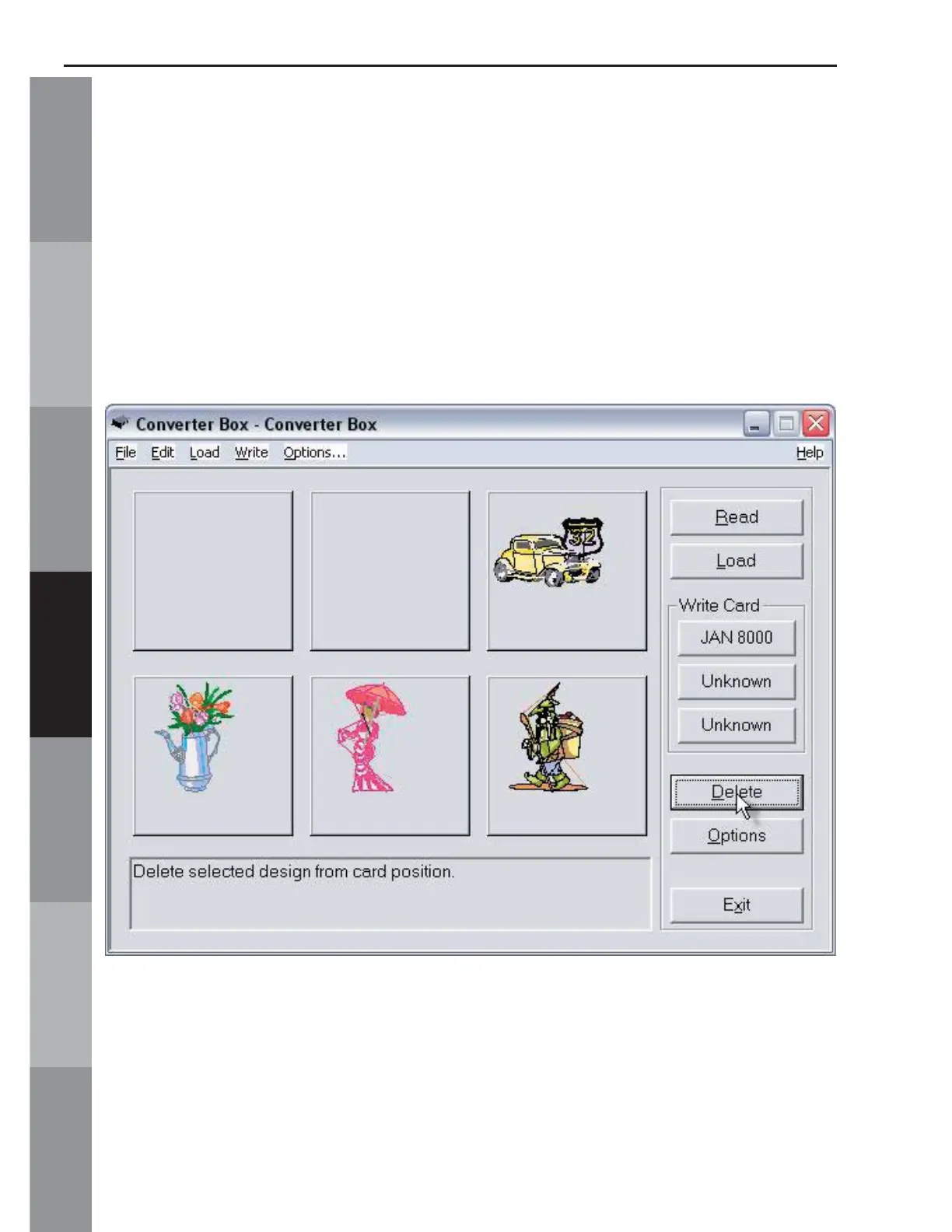
F. Delete (Noted in Fig. MS-2f, page 52)
This function deletes a design from the Main Screen (Converter
Box window). Click on a design to select it and then click on the
delete button. In the Figure MS-11, the fi rst and second design
were deleted. (Note that this deletes the design from the Main
Screen, NOT from the Magic Card.)
Fig MS-11



 To Next Page