Main Screen
Color EditorGeneral InformationQuick StartMain ScreenInstallationIntroductionTable of Contents
Mini Magic Box - Design Card Converter
Mini Magic Box - Design Card Converter
Software Manual
54
Main Screen
Mini Magic Box - Design Card Converter
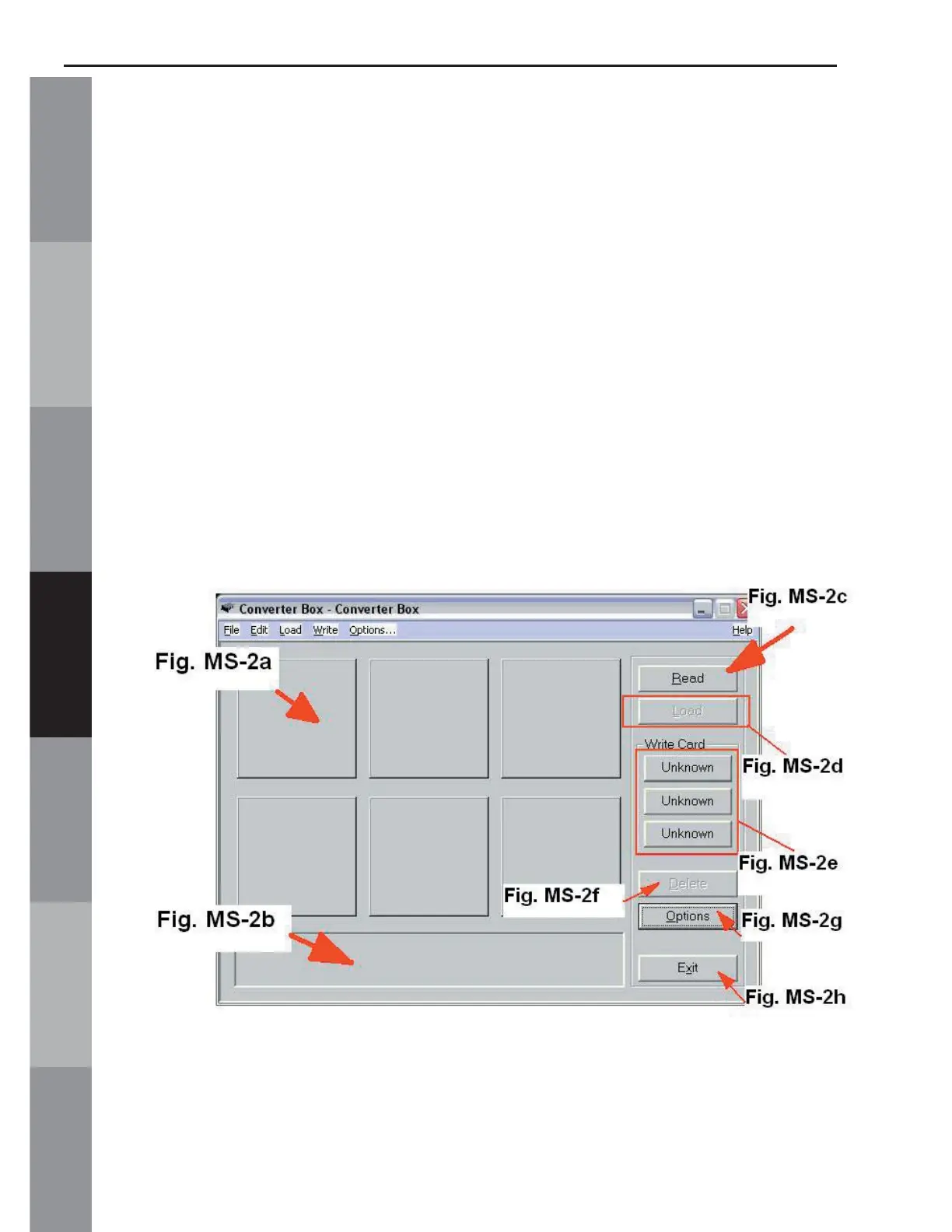
Main Screen (converter box window) (fi g. MS-2 below)
A. Design Area (Fig. MS-2a below)
B. Dialog Box (Fig. MS-2b below)
C. Read (Fig. MS-2c below)
D. Load (Fig. MS-2d below. Clickable when a proper
card is inserted)
E. Write Card (Fig. MS-2e below. Clickable when a
proper card is inserted)
F. Delete (Fig. MS-2f below. Clickable when a design is
present and selected in Fig. MS-2a)
G. Options (Fig. MS-2g below)
H. Exit (Fig. MS-2h below)
Fig. MS-2



 To Next Page