CONFIGURATION
4
9 of 30
There are a number of congurable settings on the 3345 to allow the user to congure the unit
to most closely match their requirements. These are accessed by pressing and holding the right
hand button for at least 5 seconds which will start the Cong Menu.
4.1 CONFIG MENU
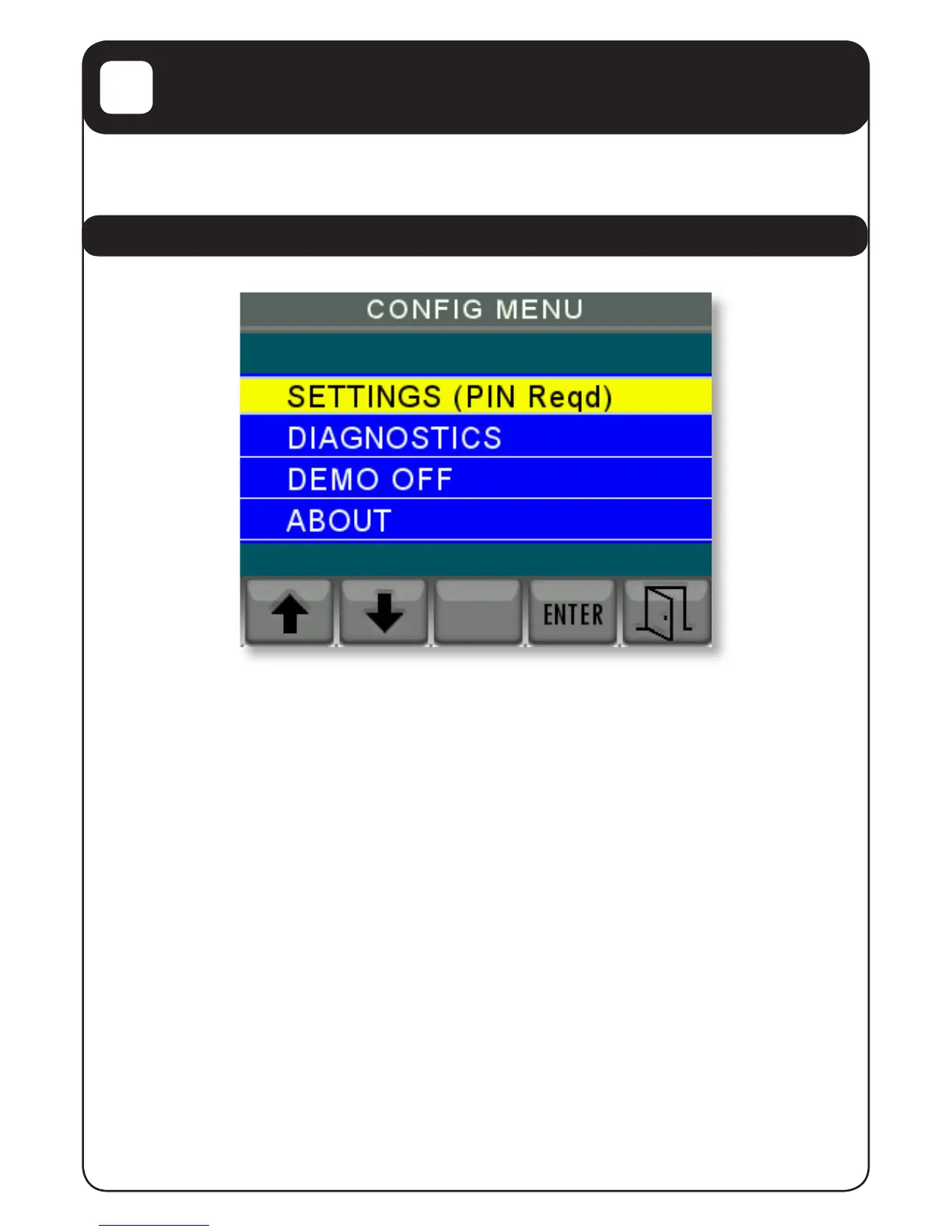
On this menu use the up and down arrow keys to change the yellow highlight to the action
required and then press “ENTER”
This menu allows you to do four things:
1. To go into the PIN protected settings menu to change the unit’s settings.
2. To look at the communications trafc. (This is an engineering function not normally
used).
3. To ip the unit in and out of Demo mode.
4. To display the about screen to check on version levels and serial numbers etc.
The use of these options is described on the next page.


 To Next Page