7 of 30
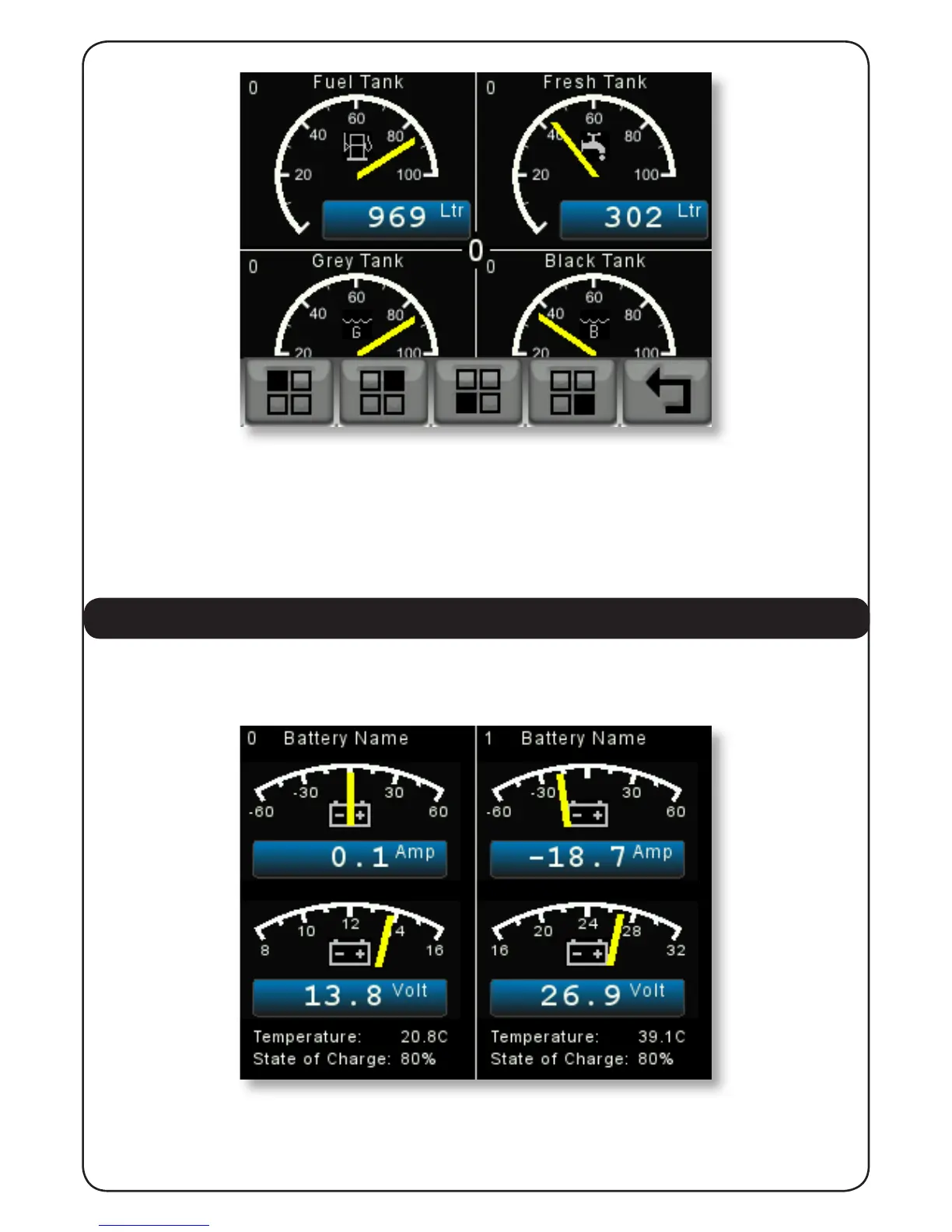
Pressing the rst button the top left hand quadrant will change to display each of the different
tank sender levels being received and then a blank page in case the user does not wish to
display any tank in a given quadrant. Then by pressing the “BACK ARROW” button that selection
will be remembered and the display will revert to the normal tank display.
This can be repeated for each quadrant on each Quadrant Page giving the user the opportunity
to tailor the tank displays exactly as they wish.
3.3 BATTERY / DC SOURCE SUPPLY
By pressing the “BATT” button the display will show information about the rst two battery or
DC sources as shown below.
Repeated pressing of the “BATT” button will display the next two batteries or DC sources to a
total of 16 sources. Each side of the display contains the following information:
1. In the top centre of each side is the Battery or DC Source user assignable name. When the


 To Next Page