23 of 30
4.3 COM VIEWER
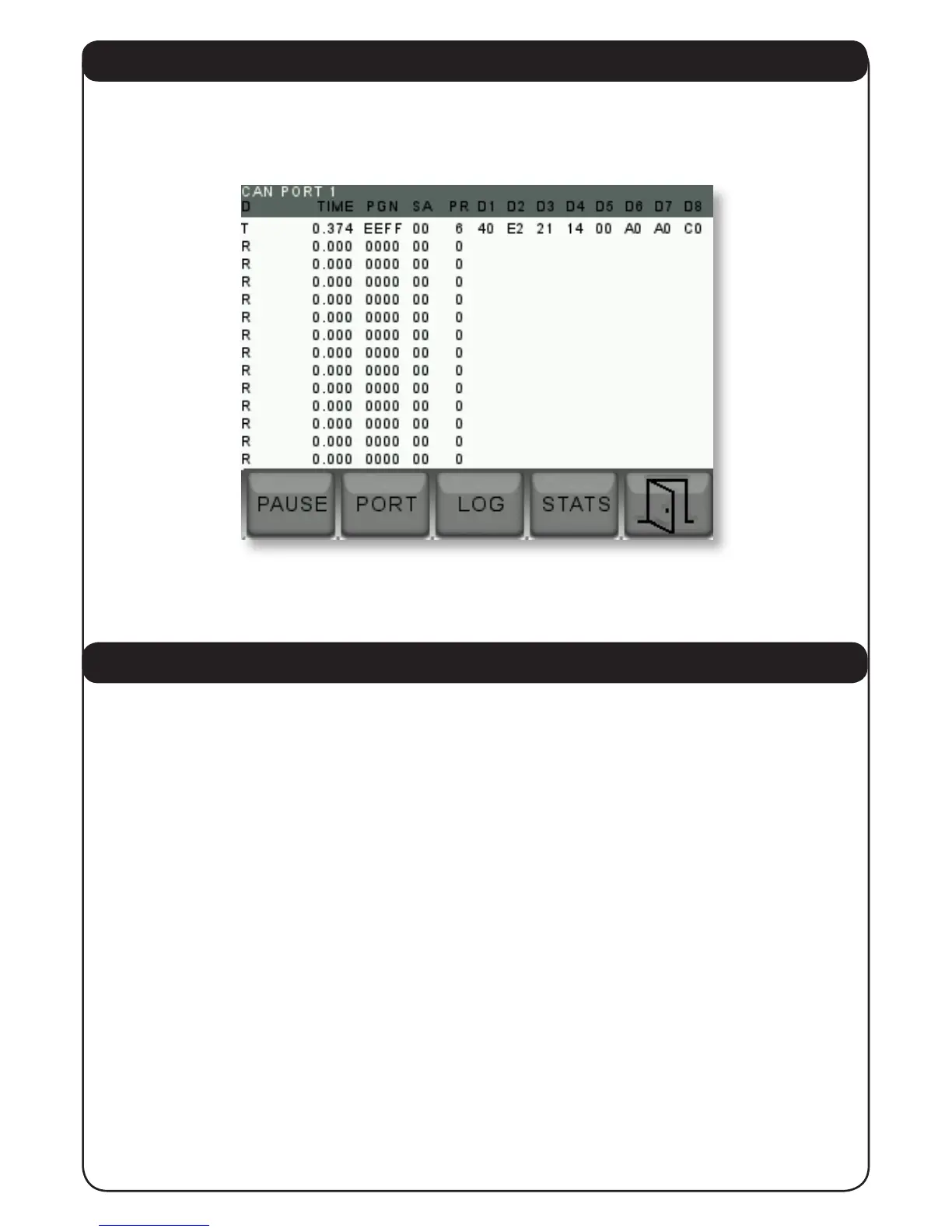
By moving the yellow highlight to “ DIAGNOSTICS” and then to “COM VIEWER” and pressing
“ENTER” the unit will display the communications trafc arriving to the device. This is shown
below.
This is an engineering diagnostic screen and not normally used. Press “EXIT” to return to the
“CONFIG MENU” detailed in 3.1 above.
4.4 DEMO ON/OFF TOGGLE
By moving the yellow highlight to the “DEMO” position and pressing the enter key, demo mode
can be selected. During demo mode the unit produces its own demo signals to demonstrate the
displays. Under normal use the “DEMO” mode should be off.
Press “EXIT” to return to the normal display screens.


 To Next Page