13 of 30
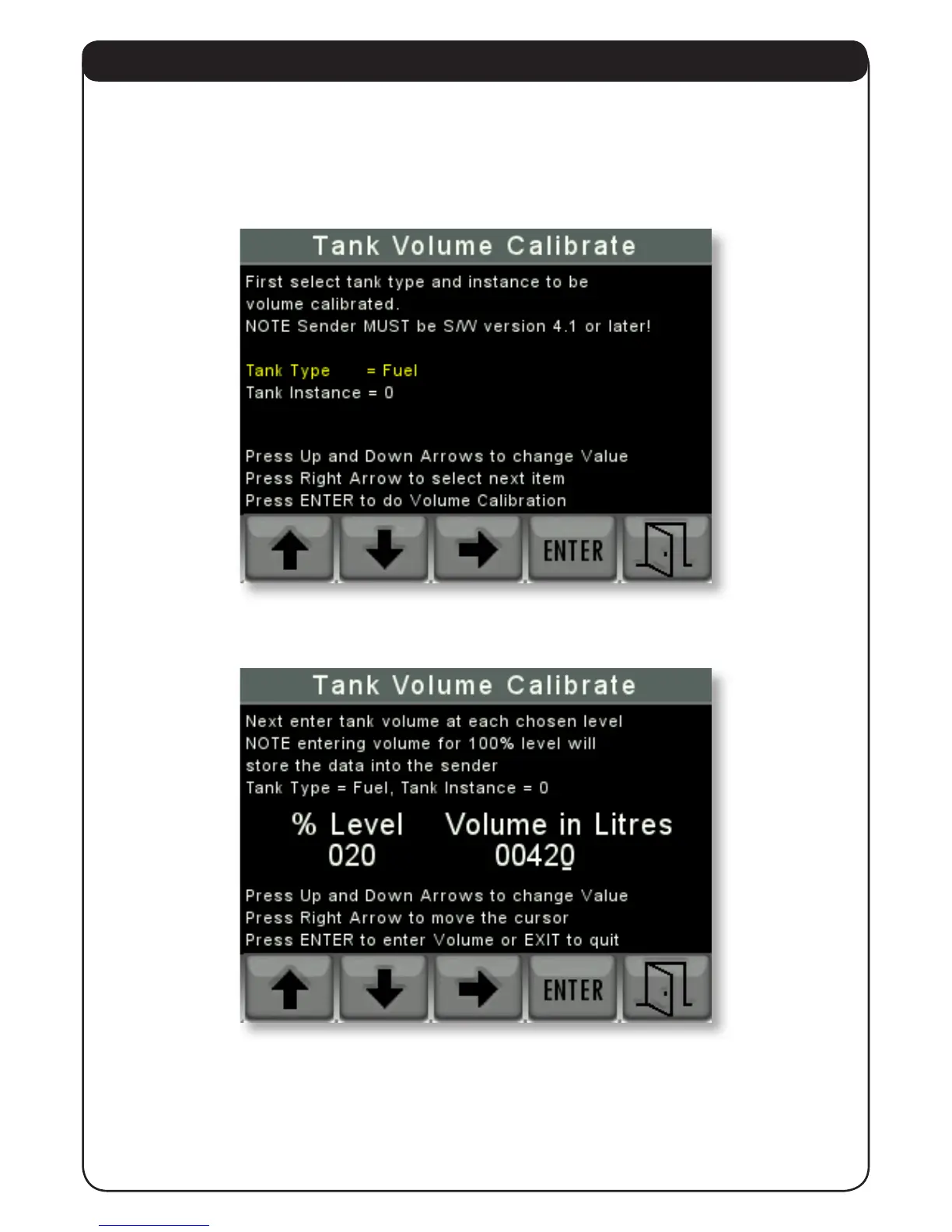
4.2.2.2 TANK VOLUME CALIBRATE
This screen is used to set the volume calibration table inside an Offshore System’s 3271 or 3281
Tank Level Sender.
The rst screen allows the user to choose the tank type and tank instance of the sender to be
calibrated.
When these have been chosen press “ENTER” to go to the next screen.
The user then enters the volume of uid at each desired level starting at the lowest chosen
point in as many or as few steps to 100%.
Note that this screen is re-presented at each step until the nal level of 100% is entered. When
this happens the unit calculates all the intermediate levels and stores that information in the
chosen sender.


 To Next Page