22 of 30
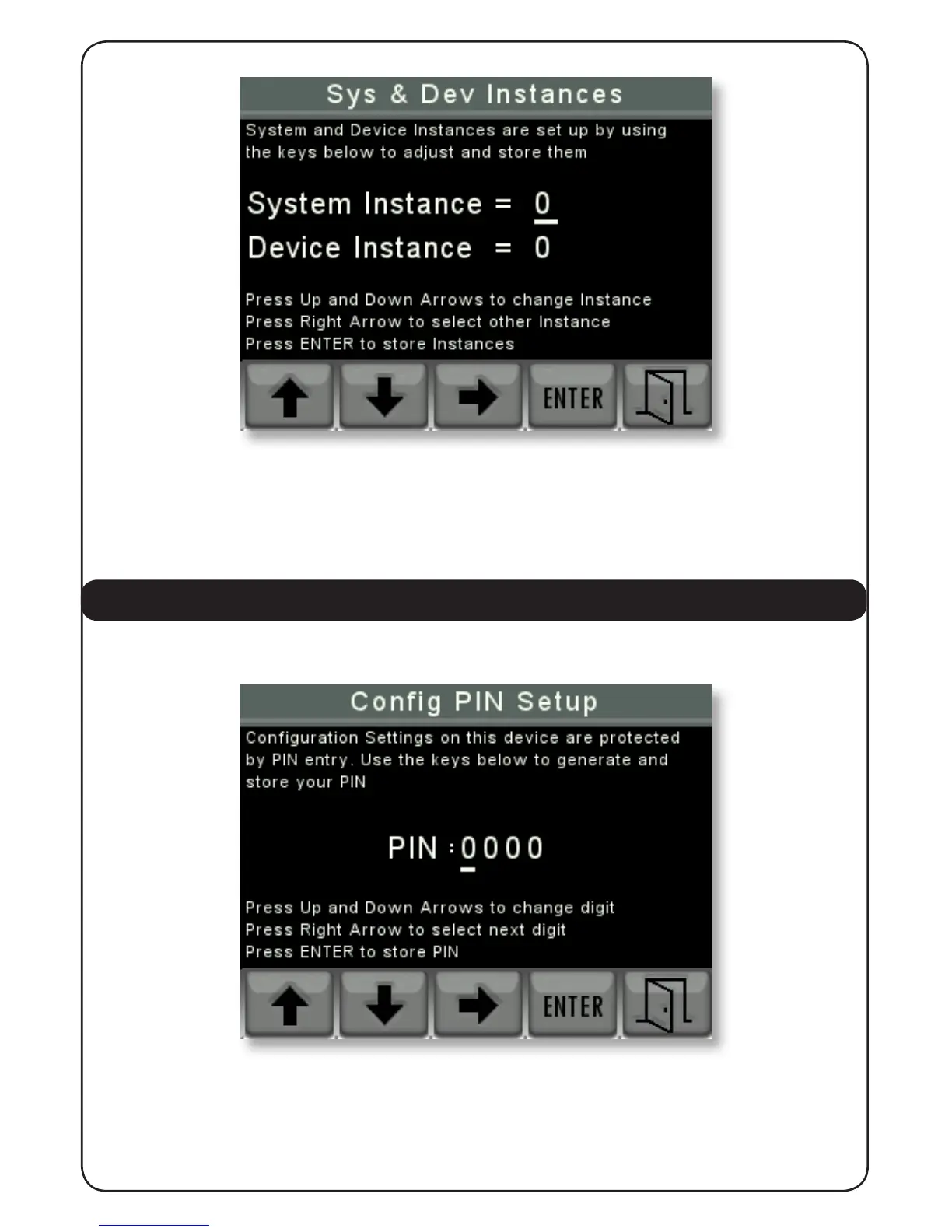
The user should use the “UP” and “DOWN” arrows to change the value of the Instance that is
underlined and then use the “RIGHT” arrow to select the other Instance.
When the Instance values are correct press “ENTER” to store them and “EXIT” to return to the
Settings Menu.
4.2.7 CONFIG PIN SETUP
This screen is used to change the Conguration PIN to a new number if required.
The user can use the “UP” and “DOWN” arrows to change the value of the underlined PIN
number and then use the “RIGHT” arrow to choose the next number to change.
When the desired PIN number has been chosen pressing the “ENTER” key will store it and then
pressing the “EXIT” key will return to the settings menu.


 To Next Page