20 of 30
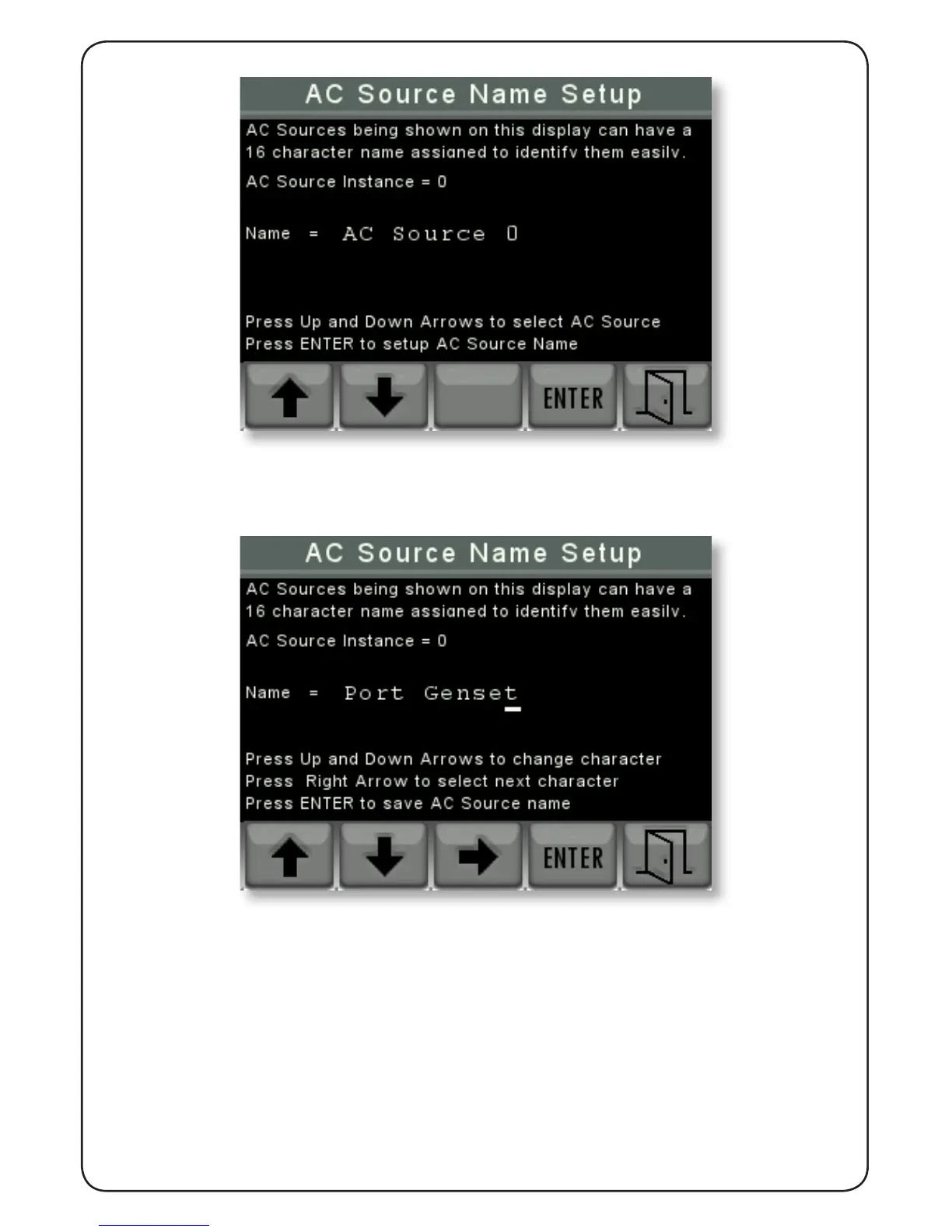
Firstly, by pressing the up arrow and down arrow buttons select the AC Source instance to be
named then press “ENTER”.
Next use the Up and down arrow keys to change the rst character of the name then press
the right key to move to be able to change the next character and so on. Please note that
the characters will cycle through A to Z upper case then a to z lower case, then a blank then
numbers from 0 to 9.
When the desired name has been written press “ENTER” then “EXIT” to store that name.


 To Next Page