EasyManua.ls Logo

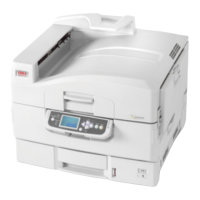
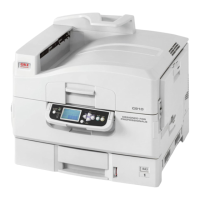
Oki C9800hdtn - User Manual

Oki C9800hdtn
129 pages
Print Icon
To Next Page IconTo Next Page
Loading...
USER’S GUIDE
C9800hdn/C9800hdtn/C9800 GA
C9800
C9000

Table of Contents

Other manuals for Oki C9800hdtn

Questions and Answers

  • A
    akimSep 8, 2025
    What to do if my Oki All in One Printer says 'All connections used. Remove server'?
    • A
      Anthony SimonSep 8, 2025
      If your Oki All in One Printer displays 'All connections used. Remove server?', it means you've reached the limit of eight bindery servers. To add another, you'll need to disconnect one of the existing servers.
  • M
    Mary ZavalaAug 23, 2025
    What to do if my Oki All in One Printer says 'All connections used. Remove server?'?
    • C
      Chelsey BauerAug 23, 2025
      This message indicates that you have reached the maximum limit of eight bindery servers. To add another server, you will need to disconnect one of the existing ones.
  • R
    Richard WashingtonAug 25, 2025
    Why does my Oki All in One Printer say 'Warning! Selecting a new NDS tree deletes Bindery setup.'?
    • C
      collinsmelanieAug 25, 2025
      This warning appears because the Oki All in One Printer was previously connected to a different NDS tree. To prevent deleting the bindery settings, select OK and then choose No when the message 'Delete Bindery setup and continue?' appears.
  • S
    saraaguilarAug 27, 2025
    What to do if my Oki All in One Printer displays 'No NetWare file server found.'?
    • N
      Nicole HarringtonAug 27, 2025
      Check the cable connections and ensure that the NetWare server is turned on.
  • D
    daydavidAug 27, 2025
    How to fix 'Novell error code' on Oki All in One Printer?
    • T
      Theresa McmillanAug 28, 2025
      This message indicates that Novell NetWare has reported an error. If troubleshooting the network yourself is not possible, you should notify the Novell administrator to troubleshoot the network.
  • T
    Tammy WardSep 23, 2025
    Why does my Oki All in One Printer say 'No AppleTalk zone found'?
    • T
      Thomas PalmerSep 23, 2025
      If your Oki All in One Printer displays 'No AppleTalk zone found', it could mean the Ethernet network cable isn't connected to the printer or the network, or that the AppleTalk network has no zones. Press Enter to continue.
  • M
    michaelsmithSep 16, 2025
    What to do if my Oki All in One Printer says 'No NDS trees found'?
    • K
      Kenneth MaySep 16, 2025
      If your Oki All in One Printer displays 'No NDS trees found', check that the frame types on the printer are properly configured.
  • B
    Billy BrandtSep 18, 2025
    What does it mean if my Oki All in One Printer says 'No file server is selected'?
    • C
      Carlos MoralesSep 18, 2025
      If your Oki All in One Printer displays 'No file server is selected', it means that no file server has been added in Bindery Setup.
  • K
    Kimberly MooreSep 7, 2025
    What to do if Oki All in One Printer says 'You must first enable a network port.'?
    • M
      Maria MckeeSep 7, 2025
      Enable at least one network port (Ethernet) in Port Setup before beginning Protocol Setup or Service Setup.
  • A
    Austin CainSep 4, 2025
    Why does my Oki All in One Printer say 'No NDS trees found.'?
    • S
      Stephanie JimenezSep 4, 2025
      Check to see that the frame types on the Fiery are properly configured.

Oki C9800hdtn Specifications

General IconGeneral
Print TechnologyLED
Print Resolution1200 x 1200 dpi
ConnectivityUSB, Ethernet
Operating Systems SupportedWindows, Mac, Linux
Duplex PrintingYes
Printer TypeColor Printer

Related product manuals