EasyManua.ls Logo

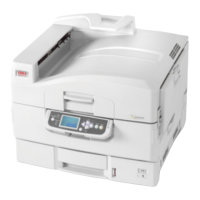
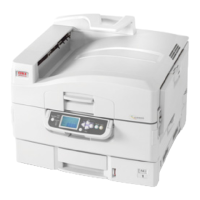
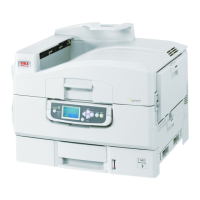
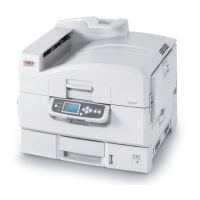
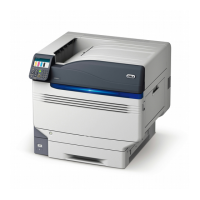
Oki C9800hdtn - User Manual

Oki C9800hdtn
129 pages
Print Icon
To Next Page IconTo Next Page
Loading...
USER’S GUIDE
C9800hdn/C9800hdtn/C9800 GA
C9800
C9000

Table of Contents

Other manuals for Oki C9800hdtn

Questions and Answers

  • D
    Donald VelazquezAug 21, 2025
    What to do if Oki All in One Printer displays 'File server name not found. Try again?'?
    • A
      Anthony GarciaAug 22, 2025
      This message appears when the Oki All in One Printer cannot find a file server with the specified name on the network. Check the name of the NetWare file server, verify cable connections, and ensure the NetWare server is powered on.
  • A
    Austin CainSep 4, 2025
    Why does my Oki All in One Printer say 'No NDS trees found.'?
    • S
      Stephanie JimenezSep 4, 2025
      Check to see that the frame types on the Fiery are properly configured.
  • S
    samuelmillerSep 2, 2025
    What does 'Invalid frame size' mean for Oki All in One Printer?
    • P
      patrick55Sep 2, 2025
      This issue occurs when the network hub is not connected to a Novell machine when the Fiery tries to bind.
  • D
    Debra WrightSep 1, 2025
    What does 'Warning! IPX network number is zero' mean on Oki All in One Printer?
    • T
      Teresa JonesSep 1, 2025
      This warning indicates that no other IPX machine can be found on the network, or the network hub is not connected to the network when the Fiery tries to bind.
  • A
    Andrew MullinsAug 30, 2025
    How to resolve 'Error. Cannot open bindery connection to NDS server' on Oki All in One Printer?
    • S
      Samantha DaviesAug 30, 2025
      Select this server through NDS setup or disable NDS and select it through bindery.
  • K
    Kristen BurnsAug 29, 2025
    What to do if my Oki All in One Printer displays 'No NetWare print server found.'?
    • R
      Rita HammondAug 29, 2025
      You must configure a print server and a print queue for every NetWare file server that will handle Oki All in One Printer print jobs.
  • D
    daydavidAug 27, 2025
    How to fix 'Novell error code' on Oki All in One Printer?
    • T
      Theresa McmillanAug 28, 2025
      This message indicates that Novell NetWare has reported an error. If troubleshooting the network yourself is not possible, you should notify the Novell administrator to troubleshoot the network.
  • S
    saraaguilarAug 27, 2025
    What to do if my Oki All in One Printer displays 'No NetWare file server found.'?
    • N
      Nicole HarringtonAug 27, 2025
      Check the cable connections and ensure that the NetWare server is turned on.
  • R
    Richard WashingtonAug 25, 2025
    Why does my Oki All in One Printer say 'Warning! Selecting a new NDS tree deletes Bindery setup.'?
    • C
      collinsmelanieAug 25, 2025
      This warning appears because the Oki All in One Printer was previously connected to a different NDS tree. To prevent deleting the bindery settings, select OK and then choose No when the message 'Delete Bindery setup and continue?' appears.
  • M
    Mary ZavalaAug 23, 2025
    What to do if my Oki All in One Printer says 'All connections used. Remove server?'?
    • C
      Chelsey BauerAug 23, 2025
      This message indicates that you have reached the maximum limit of eight bindery servers. To add another server, you will need to disconnect one of the existing ones.

Oki C9800hdtn Specifications

General IconGeneral
Print TechnologyLED
Print Resolution1200 x 1200 dpi
ConnectivityUSB, Ethernet
Operating Systems SupportedWindows, Mac, Linux
Duplex PrintingYes
Printer TypeColor Printer

Related product manuals