- 484 -
11. Utility Software
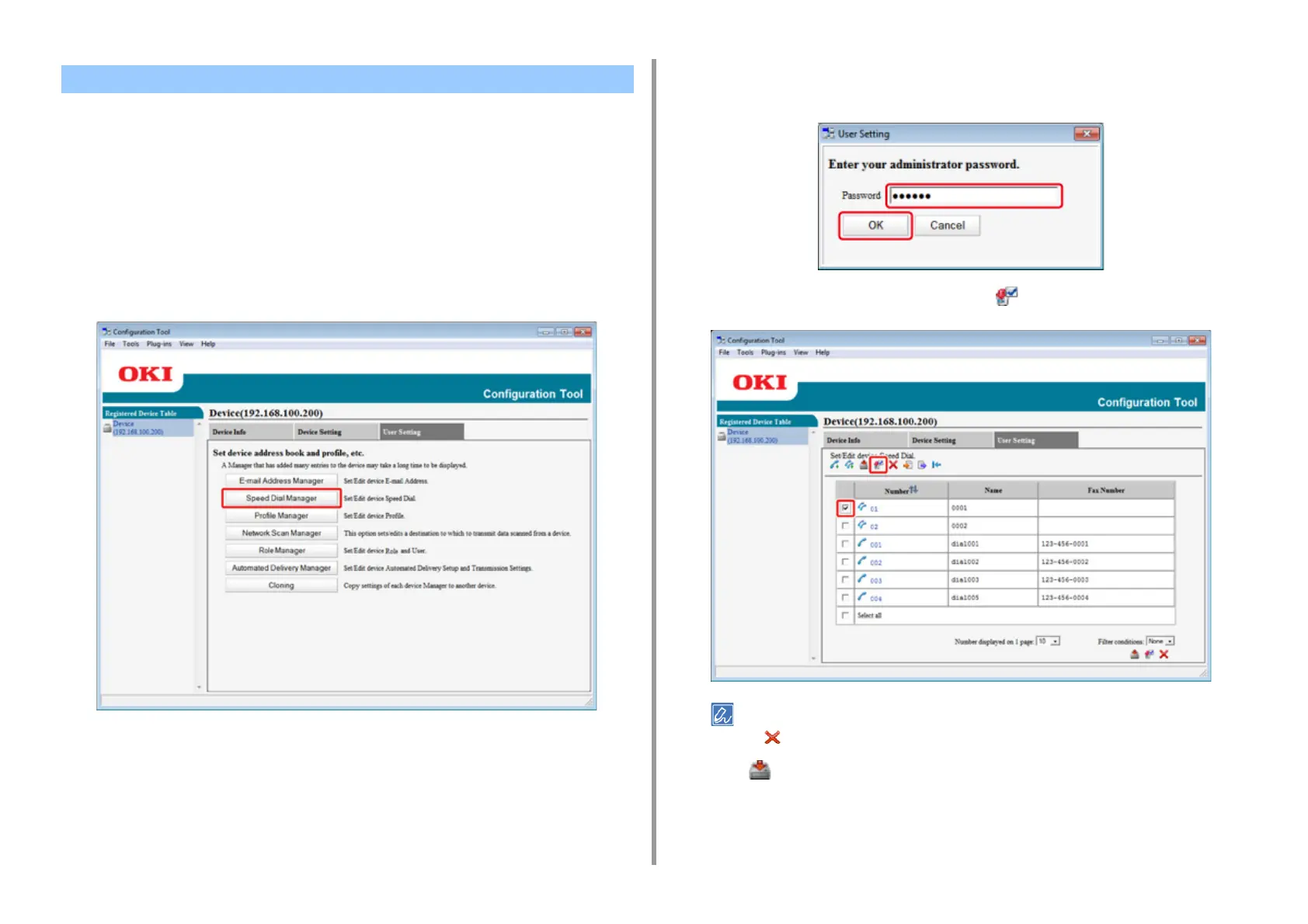
If you use the Speed Dial Manager, you can delete registered speed dial groups.
1
Click [Start], and then select [All Programs] > [Okidata] > [Configuration Tool] >
[Configuration Tool].
2
Select the machine from [Registered Device Table].
3
Select the [User Setting] tab.
4
Click [Speed Dial Manager].
5
Enter the administrator password, and then click [OK].
The factory default password is "999999".
6
Select the group to delete, and then click (Delete).
If you click (Delete all), all the destinations or groups are deleted.
7
Click (Save to device).
Deleting a Registered Group Dial Number (Configuration Tool)


 To Next Page