37
Motor clutch test
This self-diagnosis is practiced to test motors and clutches.
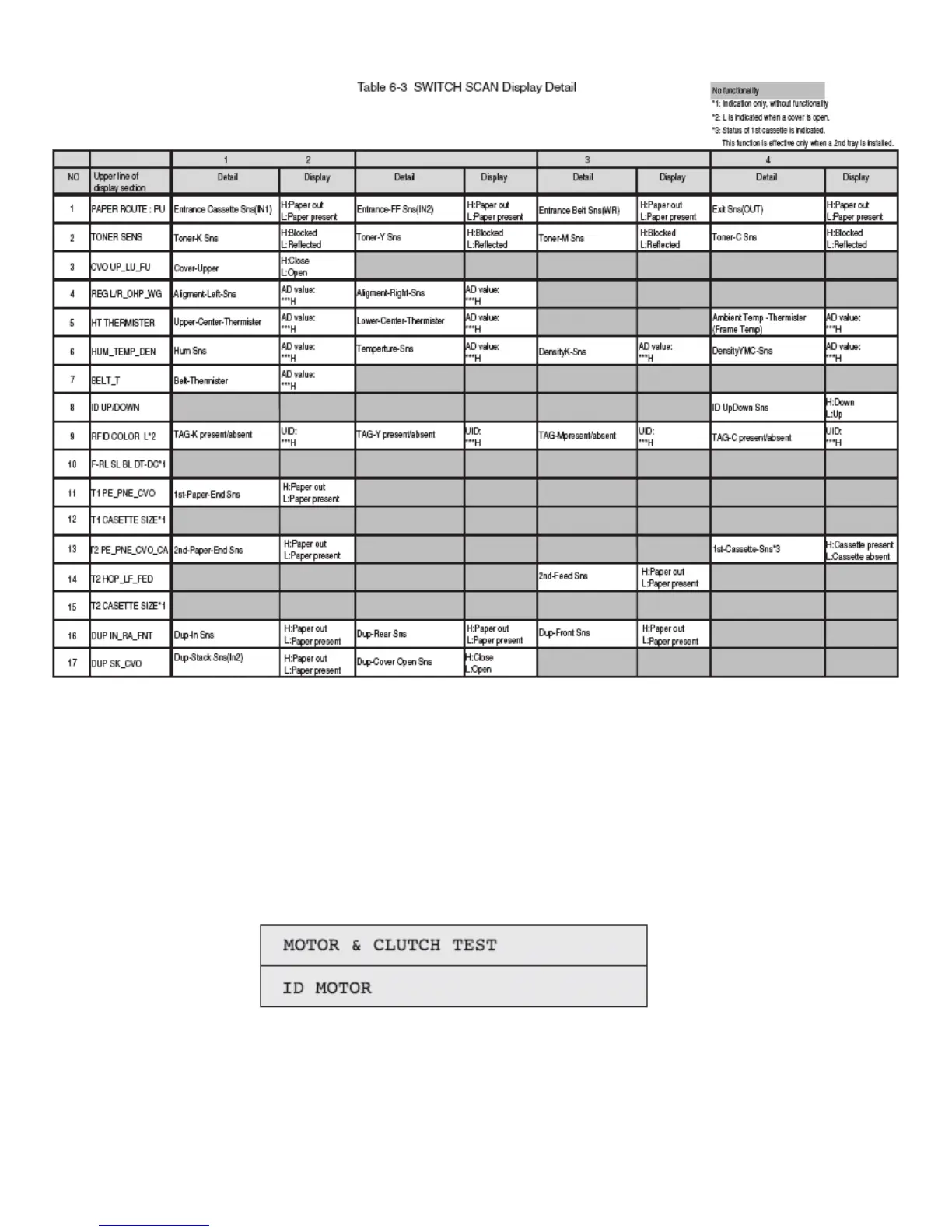
1. Activate the self-diagnostic mode (Level 1), press and hold down the MENU+ or MENU key, until "MOTOR &
CLUTCH TEST" appears in the upper line of the display section, and then, press the ENTER key.(The MENU+
key increments a test item, and the MENU- key decrements a test item.)
2. Press and hold down the MENU+ or MENU- key, until the item corresponding to the unit of Table 6-4 now to be
tested appears in the lower line of the display section.(The MENU+ key increments a test item, and the MENU-
key decrements a test item.)
3. Pressing the ENTER key initiates the test, causing the unit name to start blinking, and the corresponding unit is
driven for ten seconds (See Figure 6-2).
Note! After the unit has been driven for ten seconds, the status of Item 2.above is restored. The unit is driven
again when the corresponding switch is pressed again. The clutch solenoid repeats ON/OFF operations in a



 To Next Page