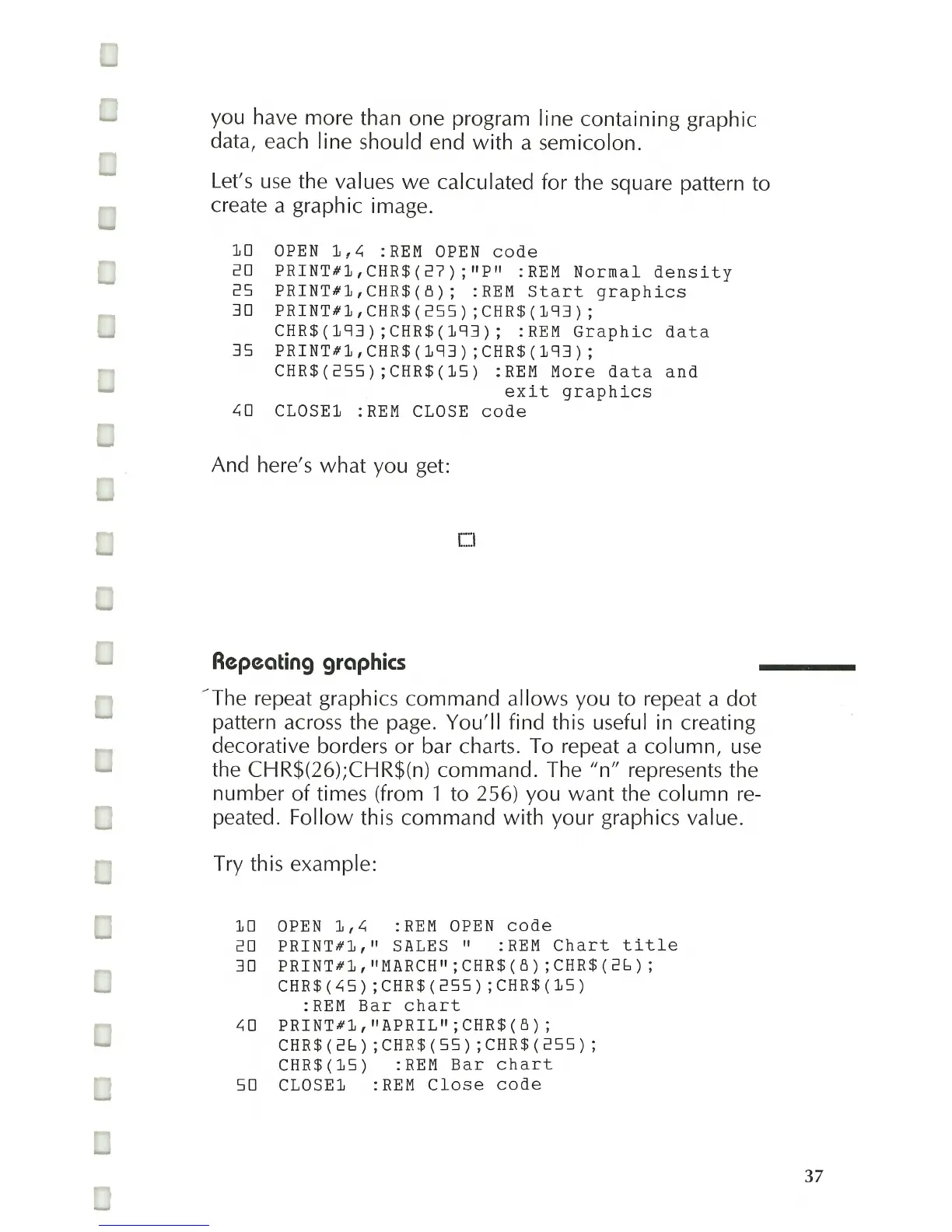
you have more than one program line containing graphic
data, each line should end
with
a semicolon.
Let's
use
the values
we
calculated for the square pattern to
create a graphic image.
10
OPEN
1,~
:REM OPEN
code
20
PRINT#l,
CHR$
(27)
;
"P"
:
REM
Normal
density
25
PRINT#1,
CHR$
(8);
:
REM
Start
graphics
30
PRINT#l,CHR$(255);CHR$(193);
CHR$
(193)
; CHR$
(193);
:
REM
Graphic
data
35
PRINT#l,CHR$(193)
;CHR$(193);
CHR$(255);CHR$(15)
:REM
More
data
and
exit
graphics
~o
CLOSE1
:REM CLOSE
code
And here's
what
you get:
CI
Repeating
graphics
/The
repeat graphics command allows you to repeat a
dot
pattern across the page.
You'll
find this useful in creating
decorative borders
or
bar charts. To repeat a column,
use
the CHR$(26);CHR$(n) command. The
"n"
represents the
number
of
times (from 1 to 256) you want the
column
re-
peated.
Follow
this command
with
your graphics value.
Try this example:
10
OPEN
1,~
:REM OPEN
code
20
PRINT#l,"
SALES"
:
REM
Chart
title
30
PRINT#1,
"MARCH"
;CHR$(8)
;CHR$(26);
CHR$(~5);CHR$(255);CHR$(15)
:REM
Bar
chart
~o
PRINT#l,
"APRIL";
CHR$
(8)
;
CHR$(26)
;CHR$(55)
;CHR$(255);
CHR$
(15)
:
REM
Bar
chart
SO
CLOSE1 :REM
Close
code
37



 To Next Page