APPENDIX
A:
INTERNAL
SWITCH
SETTINGS
If you remove the small panel at the back
of
your printer,
you'll find a
set
of
switches numbered 1 to
8.
By
turning
these switches
ON
or
OFF,
you can control features like
foreign language character
sets,
page length and Commo-
dore device numbers. After you
set
these switches, the
printing features you selected
will
go
into effect automati-
cally whenever you turn on your printer.
To
set
the switches:
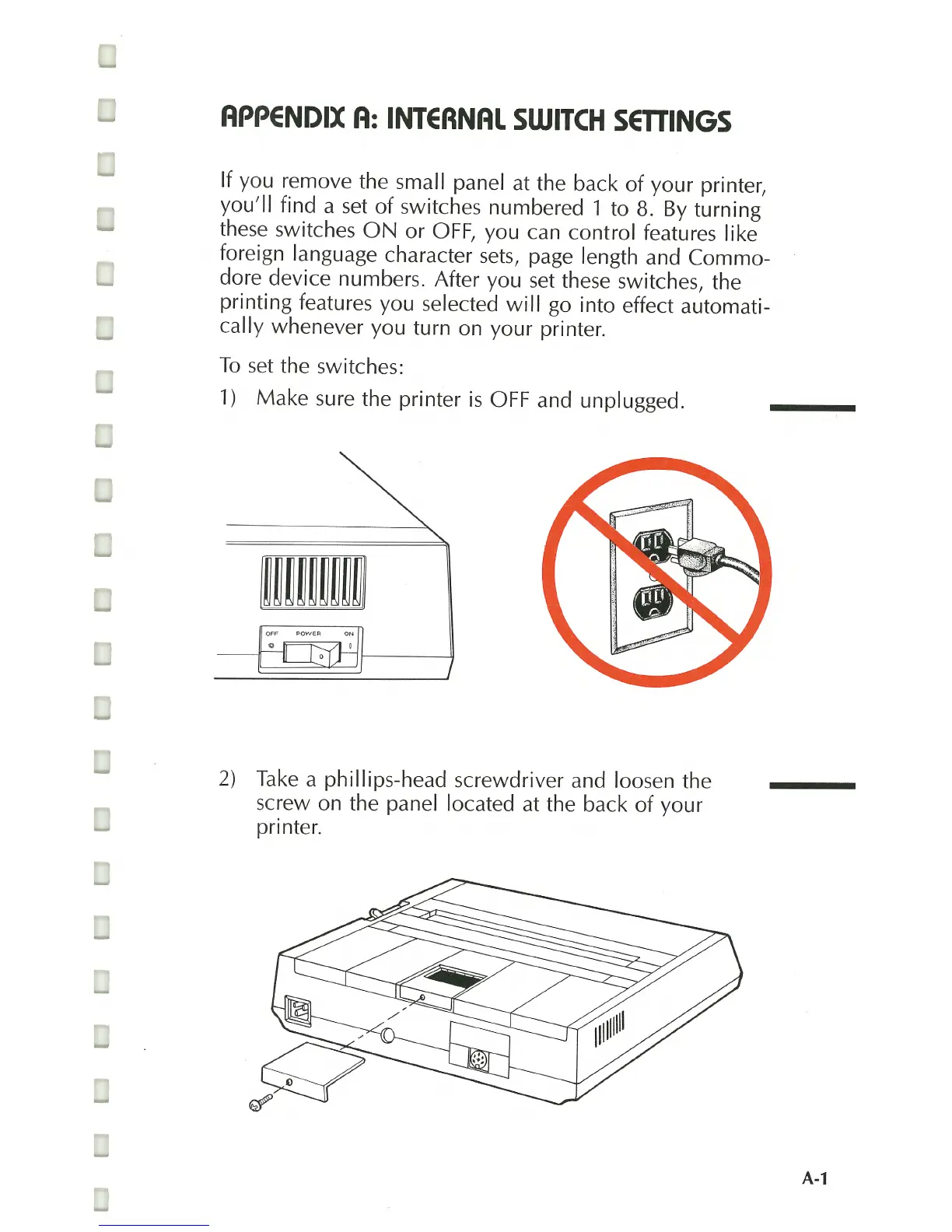
1)
Make sure the printer
is
OFF
and unplugged.
2)
Take
a phillips-head screwdriver and loosen the
screw on the panel located
at
the back of your
printer.
A-1



 To Next Page