30 / 36
1
2
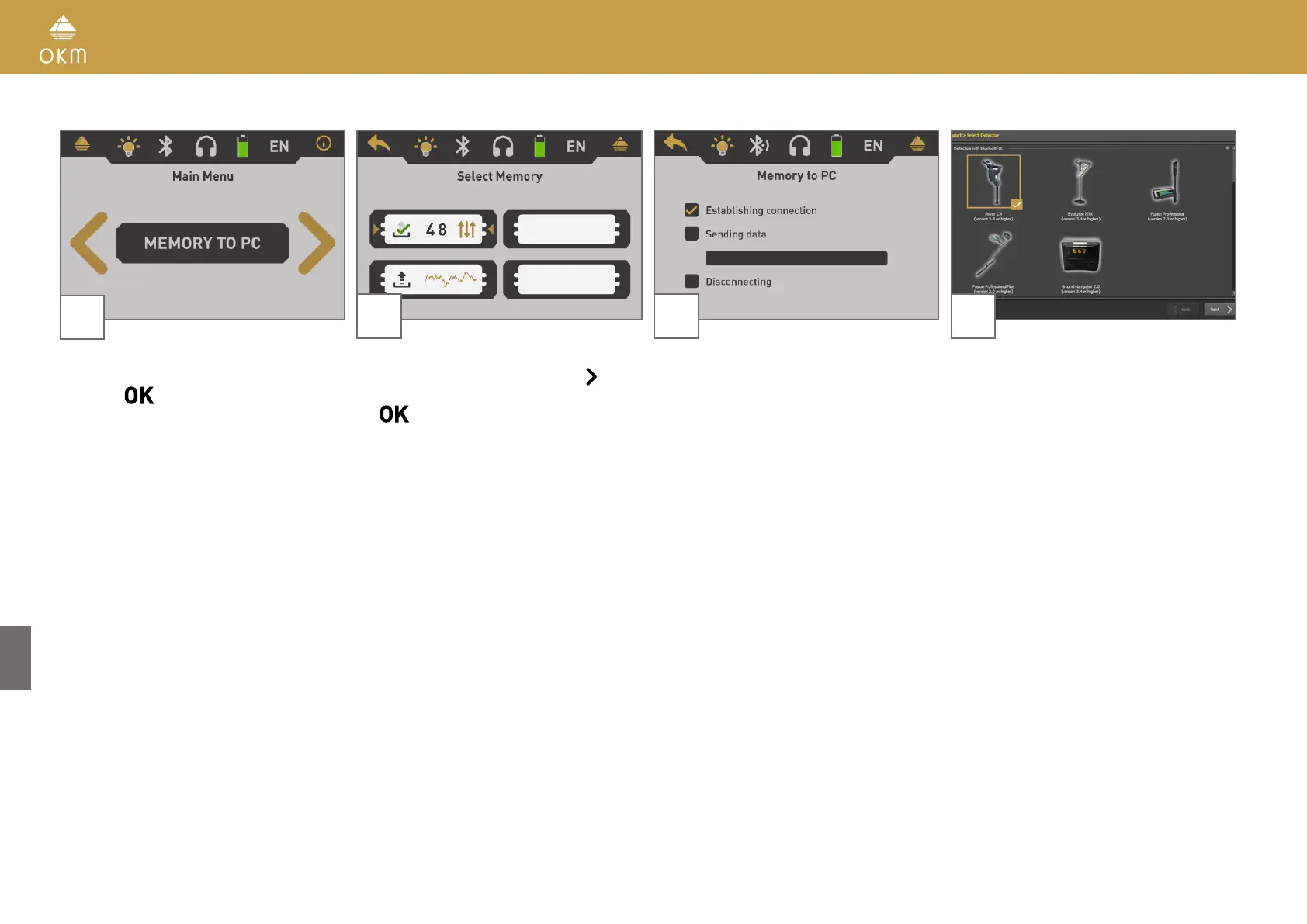
Power on the device and select the operating
mode "Memory To PC" from the main menu.
Push the
button to open the memory
areas screen.
Select one of the four memory slots to trans-
fer its data to your computer. Use the
button
to highlight a specific slot and confirm it with
the
button.
3 4
Now the device waits for a Bluetooth connec-
tion initiated by the software.
Set up your Visualizer 3D Studio software with
all the corresponding settings as explained in
chapter „6 PREPARING DATA TRANSFER“ on
page 34.



 To Next Page