31 / 36
5 6
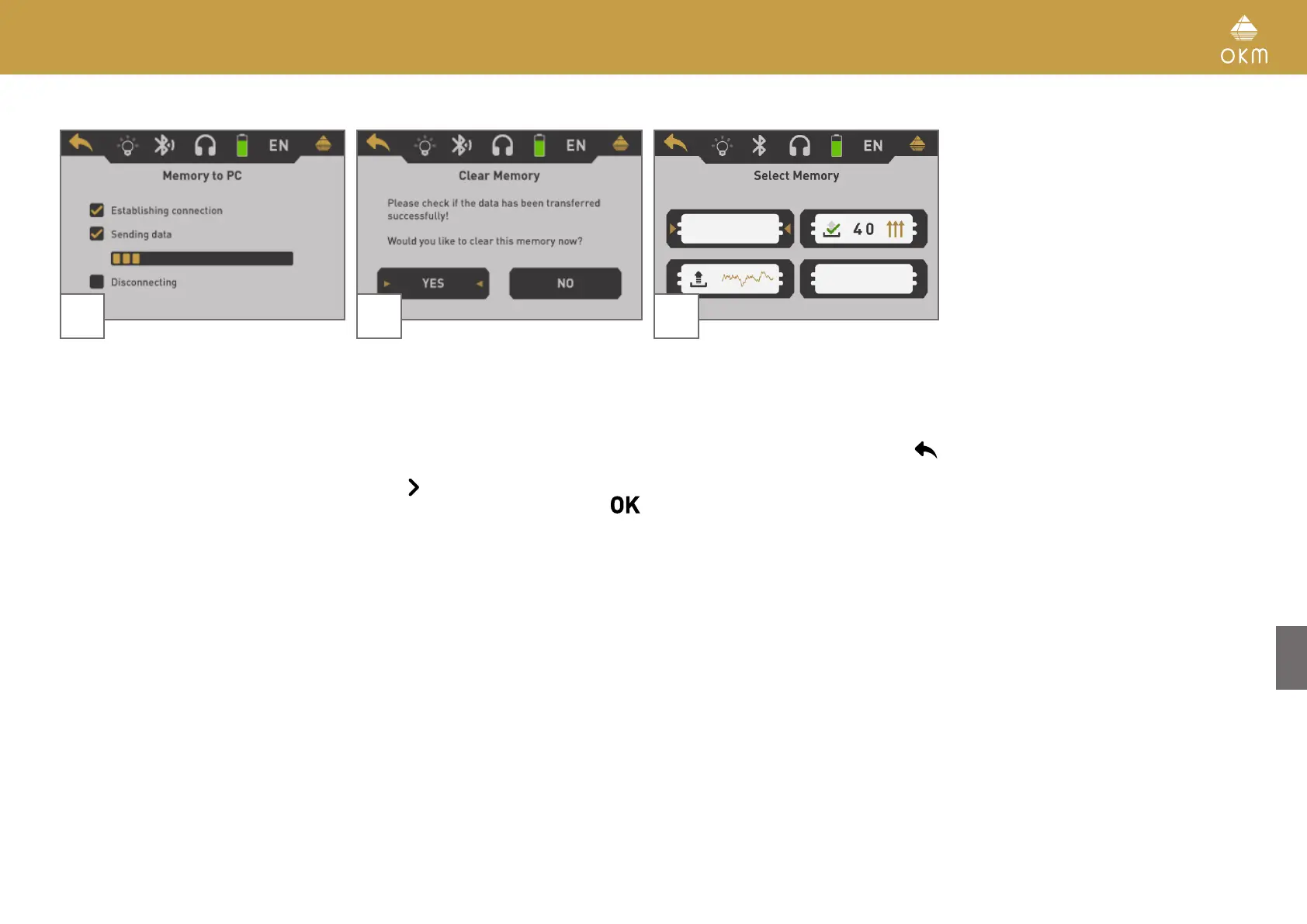
The device starts to transfer all data from the
selected memory area. Simultaneously you
should see the incoming measure values in
Visualizer 3D Studio.
After all data have been transferred, the
Bluetooth connection is disconnected.
After transferring the measure values you
can decide if you would like to keep the data
in the internal memory of the device. If all
data has been transferred successfully, you
can free the current memory area to use it for
new measurements.
Use the
button to either highlight the "Yes"
or "No" button and confirm it with the
button.
7
If you decided to clear the memory area, it will
be displayed as empty in the memory screen
now.
Continue with another memory area or return
back to the main menu by pushing the
button.



 To Next Page