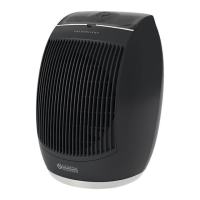
CALDO UP T
EN - 13
ENGLISH
3.3.c - Location of the remote control
Keep the remote control in a position from which the signal can reach the receiver of
the appliance (maximum distance is approx. 8 metres - with charged batteries). The
presence of obstacles (furniture, curtains, walls, etc.) between the remote control and
the appliance reduces the remote control range.
3.4 - FUNCTIONING
3.4.a - Fan mode
While using this mode, the appliance doesn’t exert any action neither on temperature
nor on air humidity in the room. When pressing the ON/OFF button, the appliance
starts in this mode. The FAN LED on the appliance display turns on.
3.4.b - Minimum power heating mode
With the appliance on in fan mode, press key to activate the minimum heating power.
In addition to the FAN LED, the LOW LED also switches on on the appliance display.
3.4.c - Maximum power heating mode
With the appliance on in minimum power mode, press key twice to activate the
maximum heating power. In addition to the FAN LED, the HIGH LED also switches on
the appliance display (and the LOW LED switches off).
ItisalsopossibletoactivatethismodethroughtheSTART/STOPbuttonon
thebackoftheappliance(pos.12-gureX).
PressbuttonSTART/STOPagainandtheunitswitchestoSTAND-BYmode
(andswitchingoffoccursasdescribedinthenextparagraph).
Ifoneoftheheatingmodeshasbeenactivated,presstheON/OFF button
toturntheapplianceoff,theFANLEDstartsashingandthedisplaystarts
the30secondscountdownafterwhichtheapplianceturnsoff(aswellasthe
FANLED).
3.4.d - ECO mode (temperature setting)
Ambient temperature is shown on the display when the appliance is turned on.
When the appliance is on, pressing button will cause the temperature value to
ash and the set temperature value to be shown.
Within 5 seconds, press buttons and to set the desired temperature (range:
18°C÷45°C - 1°C variations). Press the button to conrm the setting or wait 5
seconds; the display goes back to show ambient temperature.
If the set temperature is slightly higher than the ambient one (+1÷2°C), the minimum
power heating function activates automatically (FAN and LOW LEDs turned on).



 To Next Page
 Loading...