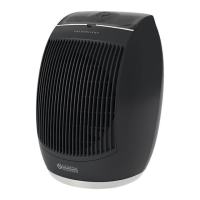
CALDO UP T
EN - 15
ENGLISH
Thisoperationmustbeperformedduringtherststart-upoftheapplianceor
afterhavingelectricallydisconnectedit.
Work as follows:
a. Start the appliance functioning in minimum power heating mode. In addition to the
FAN LED, the LOW LED also switches on on the appliance display.
b. Press button to set the current day of the week. , which indicates “Monday”,
appears on the display.
c. Press buttons and to set the current day (01= Monday, 02= Tuesday, ....
07= Sunday).
Press button (within 10 seconds) to conrm and switch to the hour setting.
The display shows .
d. Press buttons and to set the current hour (from 0 to 23). Press button
(within 10 seconds) to conrm and pass to the minutes setting.
The display shows O 0.
e. Press buttons and to set the minutes (from 0 to 59). Press button (within
10 seconds) to conrm.
If isnotpressedwithin10seconds,thesettingisnotmemorized.
Ifitisdesiredtoresetthesetdayandhour,cutpowertotheappliance.
f. The display shows .
Theappliancehas5presetmodesandafreesixthone(settablebytheuser).
Thepresetmodescharacteristicsareindicatedinthechartatthebottomof
thepage.
Inordertosetthefreemode,pleaseseeparagraph3.4.g.1
g. Press button once or more to select the desired mode.
h. Press button (within 10 seconds) to conrm the setting.
The LED 24/7 on the appliance display starts ashing indicating that the function is
active.
The appliance will turn on and off according to the set mode.


 To Next Page
 Loading...