57
ENGLISH
3.6 DEACTIVATION AND SHUTDOWN FOR PROLONGED PERIODS (g. 27, 22)
To deactivate the heat pump proceed as follows:
• Press ey8 (I) on the control panel until Sty (Stand-by) appears on the display
• Cut power to the external unit
This way the circulation pump anti-locking function remains active.
If the heat pump is not used for a prolonged period of time, the following operations should be carried out:
• Press ey8 (I) on the user interface until Sty (Stand-by) appears on the display
• Cut power to the internal unit using the switch (g. 27 ref. C) on the control panel
• Cut power to the internal and external units using the master switches
Cutting power also to the internal unit deactivates the circulation pump anti-locking function and the pump may need to be released
(g. 22).
To restart the air-water heat pump after a long period of heat pump inactivity, contact a Service Technician.
3.7 CLEANING
The only cleaning required of the system supervisor is to clean the outer panels of the air-water heat pump using a cloth dampened
with soap and water.
Stubborn stains can be cleaned using a cloth with a mixture of 50% water and denatured alcohol, or with specic products.
Dry the surfaces carefully after cleaning.
Do not use abrasive or poZder cleaning products. Any cleaning is proKibited until tKe appliance Kas been cut off from
tKe poZer mains, by setting tKe master sZitcKes of tKe internal and e[ternal units to OFF.
3.8 SCHEDULED MAINTENANCE
Scheduled maintenance is essential for keeping the heat pump in perfect working condition, safe and reliable over time. This can
be done, every six months for some interventions and annually for others, by the Service Technician, who is technically authorised
and trained, and will use original spare parts.
The maintenance plan that the OLIMPIA SPLENDID service technician or the maintenance engineer must adhere to, on an
annual basis, includes the following operations and checks:
• Check of the expansion tank pressure.
• Filling the water circuit.
• Air presence in water circuit.
• Efciency of safety units.
• Power supply voltage.
• Electrical absorption.
• Tightness of electrical connections.
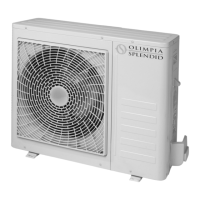
• Cleaning the fan grills and external unit battery ns.
• Check for dirt on the metallic mesh lter.
3.9 ALARMS
3.9.1 Alarms on internal unit display
Table 6 shows the alarms or overrides that can appear on the control panel display.
Overrides DO NOT represent system malfunctions; tKey signal particular temporary operating conditions. Overrides
DO NOT require tKe intervention of tecKnical support.
When an alarm activates, the mnemonic symbol appears on the display, LED 5
switches on simultaneously and the alarm
contact between terminals 16 and 17 is closed.
Override/Alarm Code Mnemonic on display Override/Alarm Description
Override #1 Or1 Entering water temperature below 10°C
Override #2 Or2 Exchanger frost-protection
Override #3 Or3 Heat source activation request active
Override #4 Or4 TA contact open (terminal 6 on the electronic board)
Override #5 Or5 External unit capacity limitation
Override #6 Or6 Defrost cycle in progress
Allarme #1 A1 Outlet water sensor faulty
Allarme #2 A2 Inlet water sensor faulty
Allarme #3 A3 Domestic water tank sensor faulty
3








 To Next Page