HVBTR1600USERMANUAL
HVBTR1600_User_Manual_V1
MAINMENU
MAINMENU
PresstheMENUbuttontoaccessthemainsystemmenu.
UsetheLEFTandRIGHTbuttonstoscrollacrosstoselecttheMenuSectionthatyourequireand
thenpresstheOKorDOWNbuttontoaccesstherequiredMenuSection.PresstheOKbuttonto
confirmanyselectionorchangesmadeintheMenuorpresstheEXITbuttontoreturntothe
previousscreen.
PresstheMENUbuttontoclosethemenubuttonandreturntheTVscreen.
Program
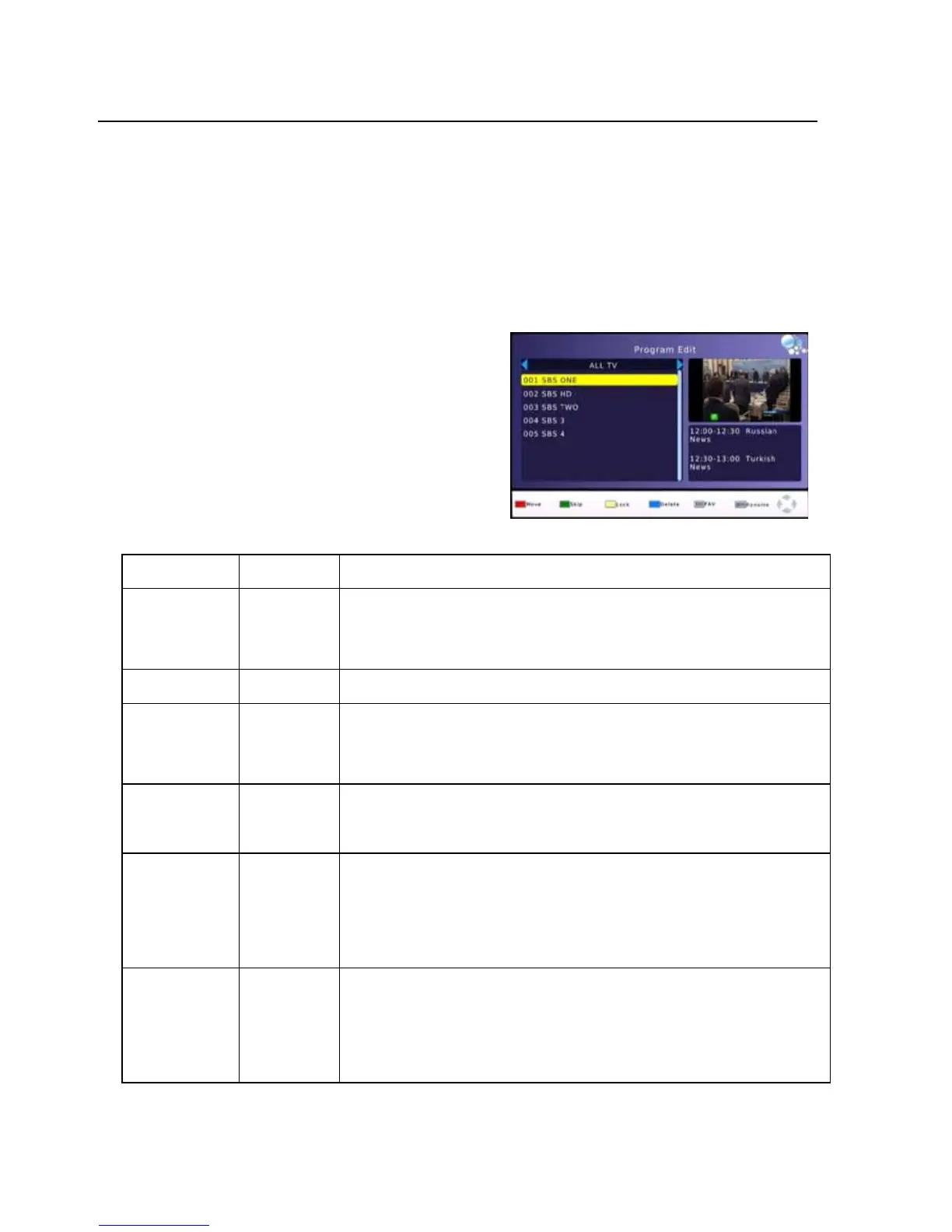
ProgramEdit
Toedityourprogrampreferences(lock,skip,
favorite,moveordelete),
youwillneedto
entertheProgramEditMenu.ThisMenu
requiresapasswordtoaccess.
PresstheLEFT/RIGHbuttontoChangetoDVB/R
radiochannelList.
Action Button Description
MOVE RED SelectthechanneltomoveandpresstheREDbutton.Use
theUPandDownButtontomovethechannelandthenpress
theOKbuttontoconfirm
SKIP GREEN channeltobeskipped.PressGREENagaintostoptheSKIP
LOCK
YELLOW
UsetheUPandDOWNbuttonstoselectthechanneltoLOCK
andthenpresstheYELLOWbutton.Pressagaintounlock
LOCKEDchannelswillrequirethepasswordtobeviewed.
DELETE UsetheUPandDOWNbuttonstoselectthechannelto
DELETEandthenpresstheBLUEbutton.PressOKtoconfirm
orEXITtocancel.
FAVOURITE FAV UsetheUPandDOWNbuttonstoselectthechanneltoadd
asaFAVOURITEandthenpresstheFAVbutton.UsetheUP
andDownbuttontoselectthecategorytosavethechannel
asandpresstheOKbuttontoconfirm.Multiplecategories
arepossible.
RENAME MENU UsetheUPandDOWNbuttonstoselectthechannelto
renameandthenpresstheMENUbutton.Usethe
UP/DOWN/LEFT/RIGHTbuttontoselecteachletterandpress
theOKbuttontoconfirmtheletter.Selectandconfirmthe
OKbuttononthescreentosavethechanges.
-13-



 To Next Page