HVBTR1600USERMANUAL
HVBTR1600_User_Manual_V1
PVR
FUNCTION
TimerRecording
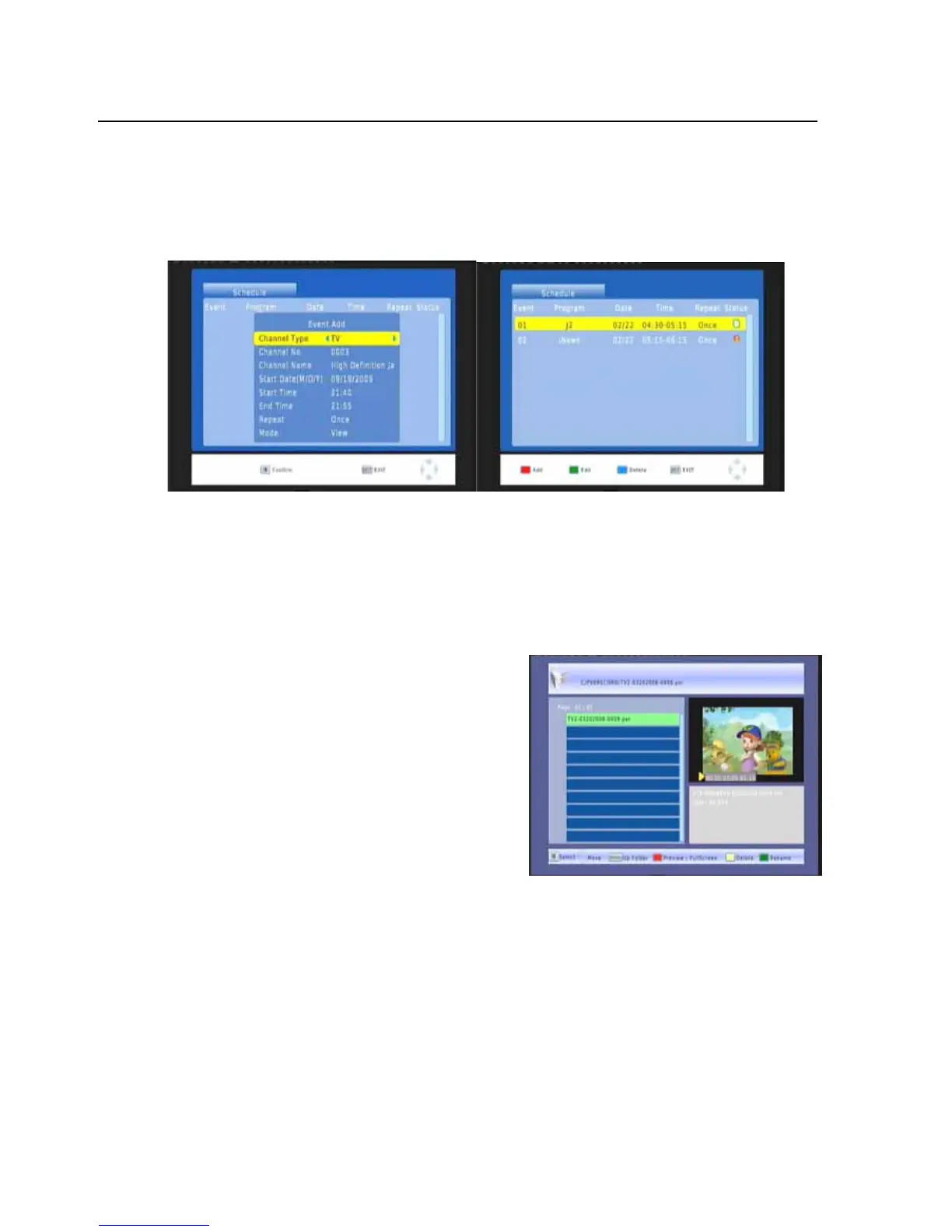
Youcouldrecordpreferenceprogramfreelywithtimerrecordingfeature.GotoEPGwindowand
pressINFOkeytoentertotheschedulewindow.Youcouldadd,editanddeletetimerrecording
eventonschedulewindow.
Playbackrecordedprogram
Press‘USB’buttononremotecontroltogoto‘Multimedia’screen,pressOKbuttontoselect‘PVR’.
Oruse‘MENU’buttontogotoProgramscreen,useVOL_orVOL+tomovetoUSBscreen,useCH
button to highlight ‘Multimedia’ then press OK to
enter
‘Multimedia’.
In Multimedia screen, use VOL_ or VOL+ to select
‘PVR’thenpressOKtoenterPVRRECORDscreen.
Followtheindicationonthebottomrowtoselectthe
differentfunctions
PressOKtoselectPVRRECORD,alltheprogramnames
will display on screen, use CH+ or CH to select the
program,
press OK to pre play. Red button for Full
Screentowatch,alsofollowtheinstructiononscreen,
programfilecanbedeleted,orrenamed.
UseSTOPbuttontostopplayingPVRanytime.
-25-



 To Next Page