HVBTR1600USERMANUAL
HVBTR1600_User_Manual_V1
GENERALINFORMATION
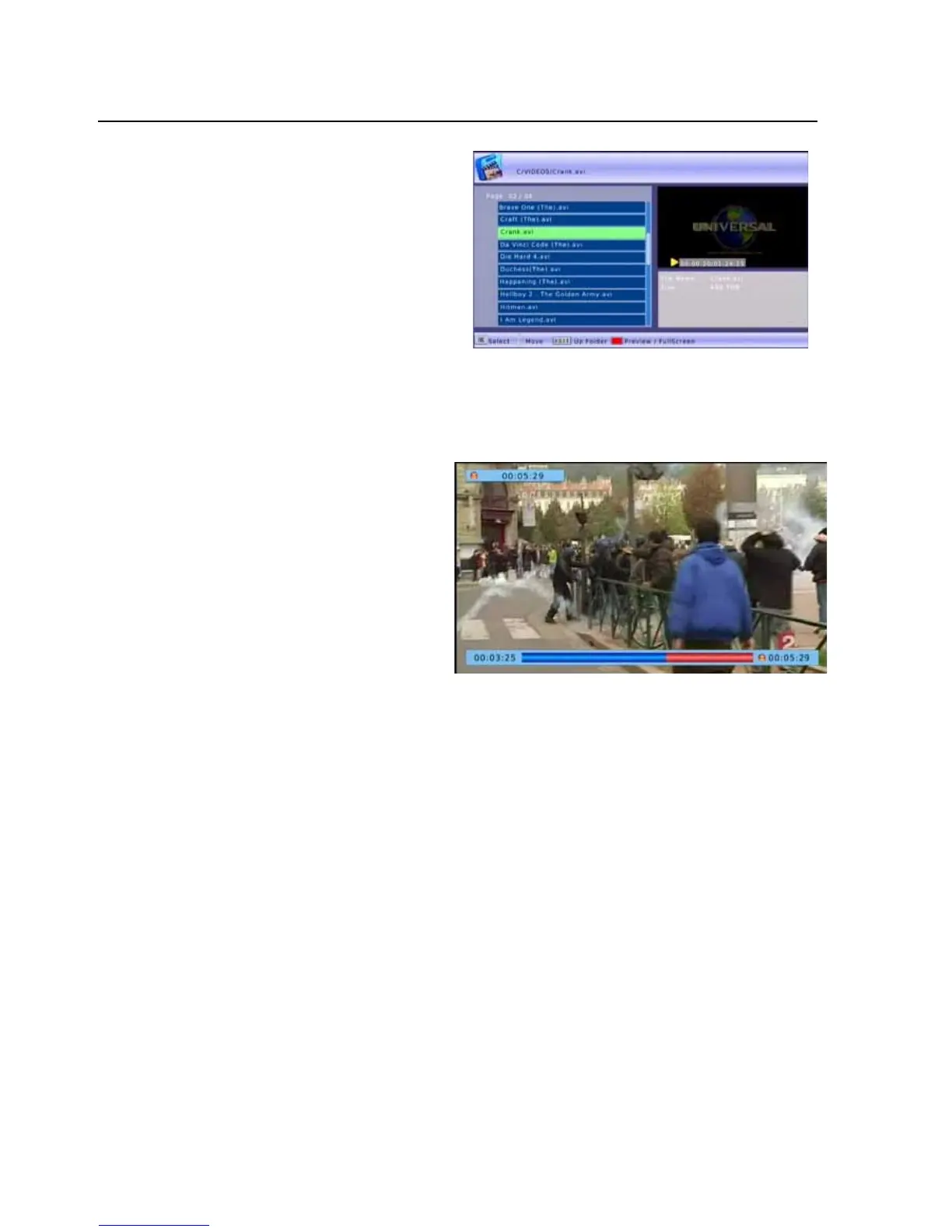
Movie
IntheMovieMenuusetheLEFT
andRIGHTbuttonstonavigateto
thefolderontheUSBdevicethat
containstheVideofilestoview.
SelectthefileandpresstheOK
button.
Playbackoftheselectedvideofile
willstartintheright
handwindow.
PresstheREDbuttontochangethevideotofullscreen.
TimeShiftingLiveTV
AUSBdeviceneedstobeconnectedto
enableTimeShift.Thisfunctionallowsyou
topauseandrewindliveTV.Pressthe
GREENbuttonontheremotetoenter
Timeshiftmode,it
willtakeabout5
seconds.
when you are ready, press the PLAY/PAUSE
buttonagaintoresumeviewing.
InTimeShiftmodeyoucanalsousetheREVandFWDbuttonsfornavigation.PressSTOPtoexit
timeshiftmode.
All Time Shift data will be saved as recorded files in the Time Shift folder on your external USB
device.EachtimeyouusetheTimeShiftfunctionanotherfilewillbeaddedtothisfolder.
WerecommendyouregularlydeletethisfoldertorecoverthespaceonyourexternalUSBdevice.
Thisfoldercan be deletedviathemenuoptionUSB / Multimedia/ PVR using the yellowDelete
button.
-23-



 To Next Page