HVBTR1600USERMANUAL
HVBTR1600_User_Manual_V1
MAINMENU
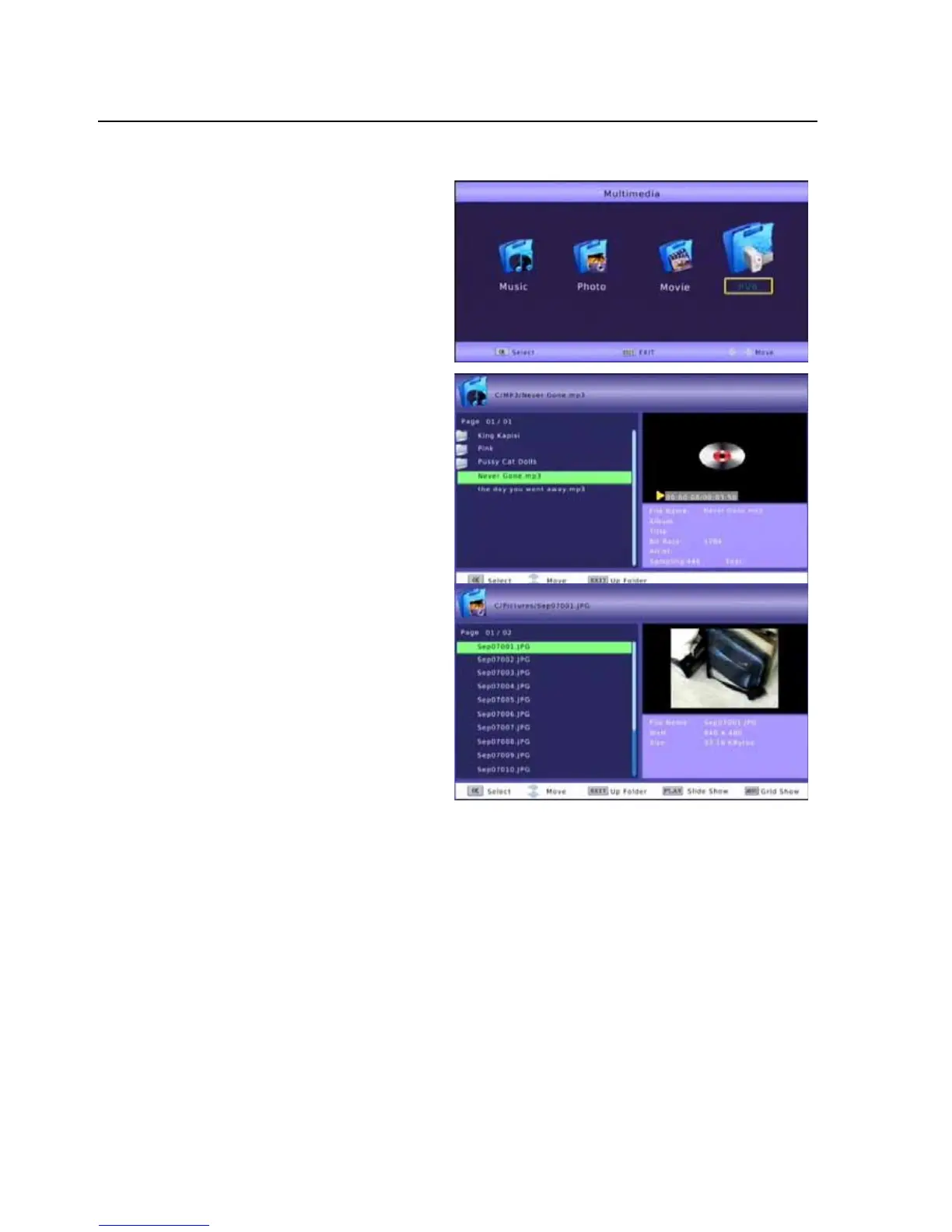
MULITMEDIAPLAYBACK
Toplaybackrecordprogramsorview
mediafromUSBdrivespresstheUSB
buttonontheremotecontrol.
UsetheLEFTorRIGHTbuttontoselectthe
typeofmediatoaccessamthenpressthe
OKbuttontoselect.
Music
In
theMUSICMenuusetheLEFTandRIGHT
buttonstonavigatetothefolderonthe
USBdevicethatcontainsthemusicfilesto
play.
SelectthefileandpresstheOKbuttonto
beginplayback.Trackandplayback
informationaredisplayedontherighthand
window.
Photo
Inthe
PhotoMenuusetheLEFT
andRIGHTbuttonstonavigateto
thefolderontheUSBdevicethat
containsthepicturefilestoview.
SelectthefileandpresstheOK
buttontoviewanindividualimage
orpressthePLAYbuttontobegin
aSlideShowofallimages
inthe
currentfolder.
PresstheMENUbuttontodisplay
theimagesinagrid.
UsetheLEFTandRIGHTbuttonsto
scrollthroughandselecttheimage
toviewandpresstheOKbutton.
-22-



 To Next Page