System Menu
6-22 ADVANCED OPERATION GUIDE
Refer to page 1-10 for Original Orientation.
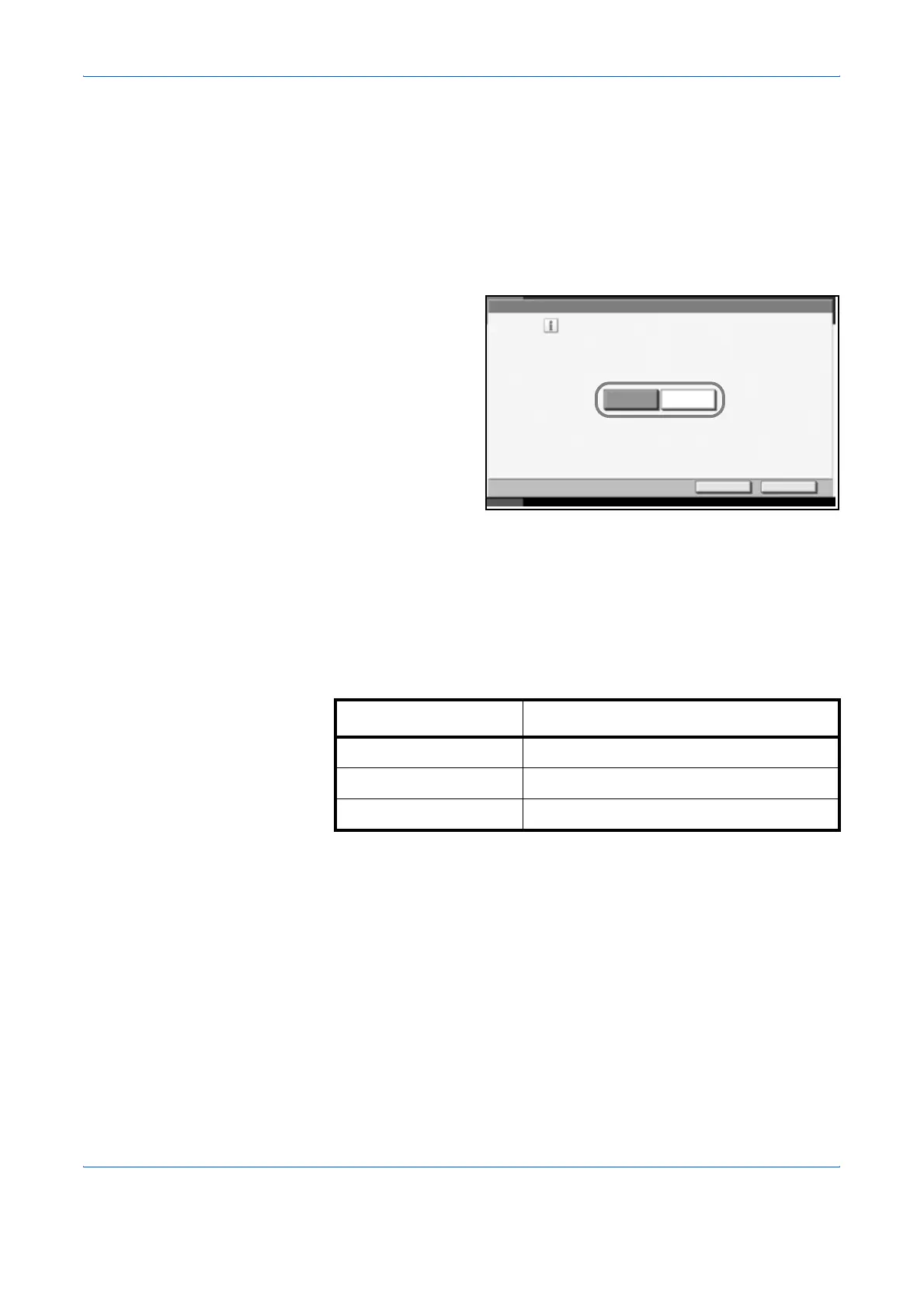
Use the procedure below to select the default settings for continuous
scanning.
1
Press the System Menu key.
2
Press [Common Settings], [Next] of Function Defaults and then [Change]
of Continuous Scan.
3
Select [Off] or [On]
for the default.
Use the procedure below to select the default quality setting for originals.
4
Press [OK].
Original Image
Set the default original document type. The available default settings are
shown below.
Use the procedure below to select the default quality setting for originals.
1
Press the System Menu key.
2
Press [Common Settings], [Next] of Function Defaults and then [Change]
of Original Image.
Common Settings - Continuous Scan
Select the default Continuous Scan setting.
Off
On
Cancel OK
Status 10/10/2007 10:10
Item Description
Text+Photo Text and photos together.
Text Only text, no photos.
Photo Only photos, no text.



 To Next Page