19
ENGLISH
70 Print tax rate on receipt
0 = Disabled
1 = Enabled
71 Print total tax amount on sales receipt
0 = Disabled
1 = Enabled
72 Print tax amount split per rate on sales receipt
0 = Disabled
1 = Enabled
73 Print taxable amount split per rate on sales
receipt
0 = Disabled
1 = Enabled
74 Print total taxable amount on sales receipt
0 = Disabled
1 = Enabled
75 Print taxable amount without VAT, split per
rate on sales receipt
0 = Disabled
1 = Enabled
76 Print total taxable amount without VAT,
on sales receipt
0 = Disabled
1 = Enabled
77 Print tax symbol to the right of the amount
0 = Disabled
1 = Enabled
78 Print a customer receipt header
0 = Enabled
1 = Disabled
79 Print a customer receipt footer
0 = Enabled
1 = Disabled
80 Print header on X/Z reports
0 = Disabled
1 = Enabled
81 Print ratio % in Department & PLU report
0 = Enabled
1 = Disabled
82-89 Reserved
90 Print graphic header on receipt
0 = Enabled
1 = Disabled
91-95 Reserved
96 Language selection
0 = English
1 = Spanish
2 = French
3 = German
4 = Programmable (free text)
Cash Register Programming Reports
This section explains how to print the different reports that
show how your cash register is programmed. These re-
ports are all taken in the PRG mode.
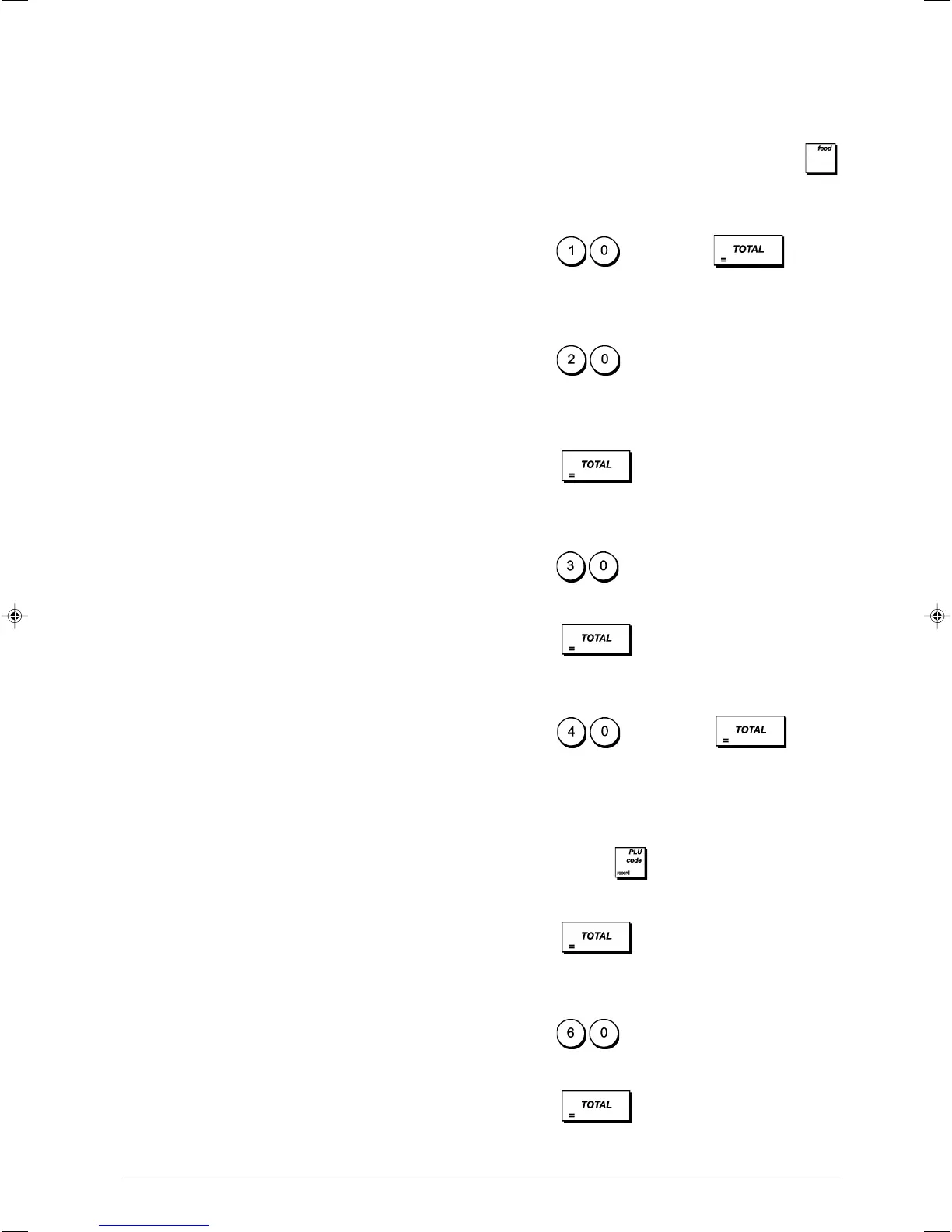
To stop the printing of a report, press and hold down
.
Department Programming Report
1. Control lock key position: PRG.
2. Type
and then press .
Department Range Programming Report
1. Control lock key position: PRG.
2. Type
.
3. Type the department number [01 - 99] that you want to
start from.
4. Type the department number [01 - 99] that you want to
end at.
5. Press
.
Department-Department Group Link Report
1. Control lock key position: PRG.
2. Type
.
3. Type the department group number [00 - 10] for which
to view a list of the associated departments.
4. Press
.
PLU Programming Report
1. Control lock key position: PRG.
2. Type
and then press .
PLU Range Programming Report
1. Control lock key position: PRG.
2. Type the PLU number [0001 - 2000] you want to start
from and press
.
3. Type the PLU number [0001 - 2000] that you want to end
with.
4. Press
.
PLU-Department Link Report
1. Control lock key position: PRG.
2. Type
.
3. Type the department number [01 - 99] for which to view
a list of the associated PLUs.
4. Press
.















 To Next Page