17
ENGLISH
PLU Stock Report
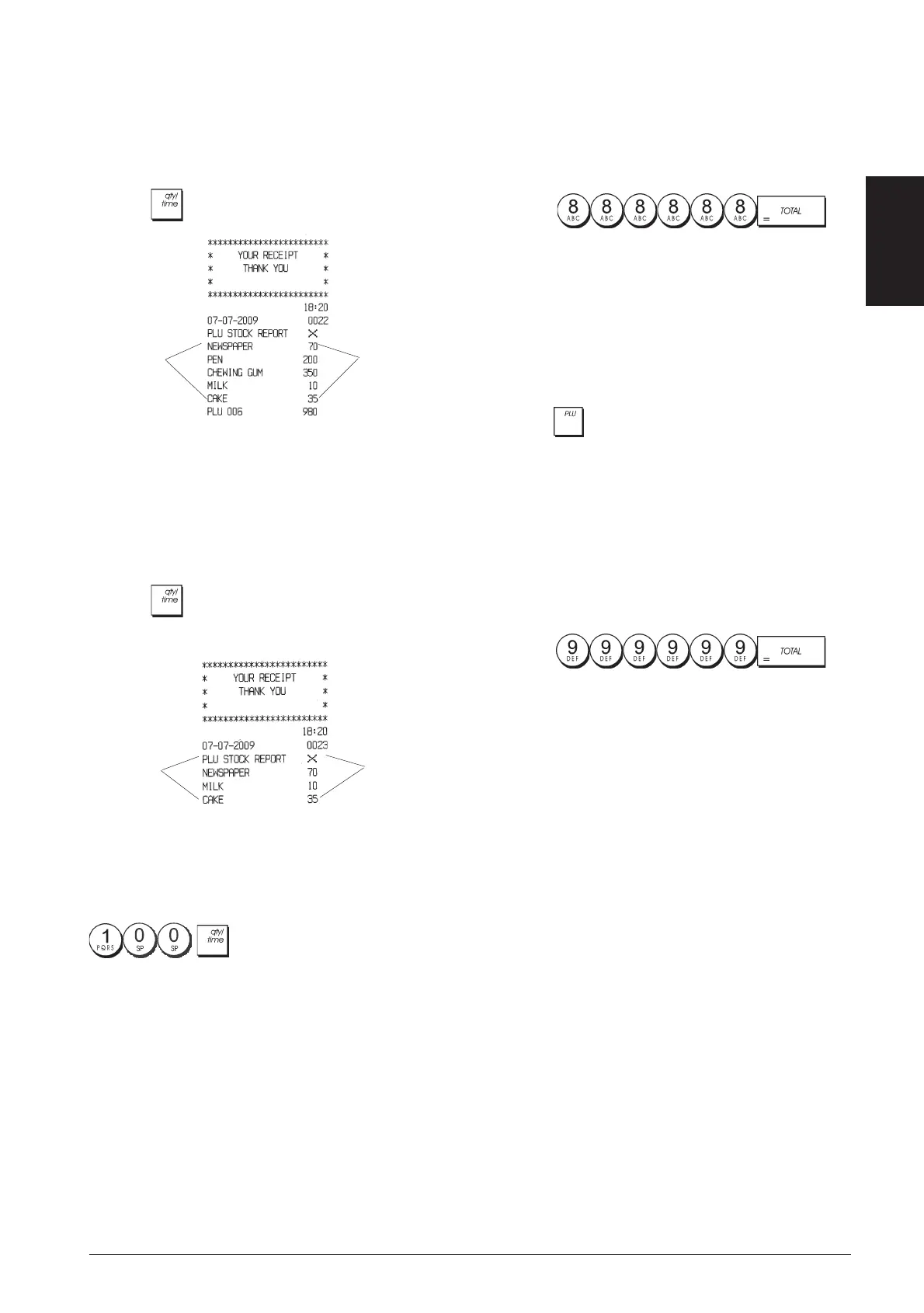
This report provides a printout showing the number of
items in stock for each individual PLU. It can only be issued
in the X1/X2 mode.
1. Control key position: X1/X2
2. Press
.
PLU number
or assigned
name
Number of PLU
items in stock
You can also print a Minimum PLU Stock Report that
provides you with an inventory of all the PLU items under a
determined quantity that you define. Also this report can
only be issued in the X1/X2 mode.
1. Control key position: X1/X2
2. Type the [stock number] of up to 4 digits.
3. Press
.
PLU number
or assigned
name
Number of PLU
items in stock
Example: Print a Stock Report of all PLU items with less
than 100 items in stock.
Type/Press:
Department Programming Report
This report provides a printout showing how your
departments are programmed. It provides the status,
associated VAT and associated price for each department.
1. Control key position: PRG
2. Press
.
PLU Programming Report
This report provides a printout showing how the PLUs are
programmed. Their number, associated price, VAT rate (if
applicable), item descriptor and associated department
are reported on this receipt.
1. Control key position: PRG.
2. Press
.
Cash Register Programming Report
This report provides a printout showing how your cash
register is programmed. It lists the values that are
programmed for all system options, the VAT rates, foreign
currency exchange rates and percent minus value
programmed, the manager password and training mode
password assigned, and the three-digit security code
assigned to the clerk.
1. Control key position: PRG
2. Press
.



 To Next Page
 Loading...










