11
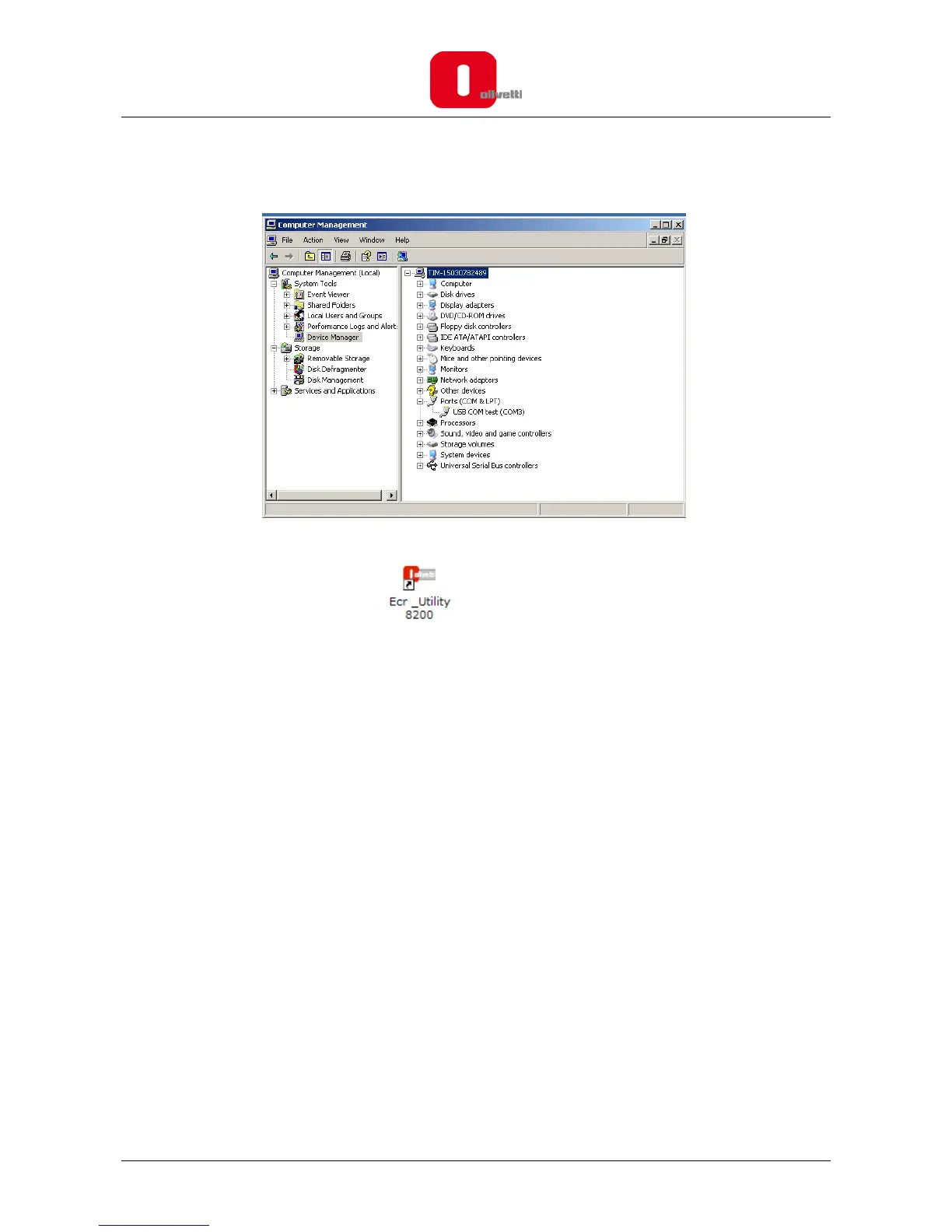
13. Verify that the USB COM test port is installed correctly. To verify the installation, go to Start>Control
Panel and double click on System. Select Hardware>Device Manager and open the item Ports to see
the result, that will resemble the following screen.
.
The “Olivetti ECR Programming Utility” is now configured on your computer.
14. To run the program, double-click the icon present on the desktop, or select it from the menu
Start>Programs>Olivetti Ecr Utility 82xx.














 To Next Page