15
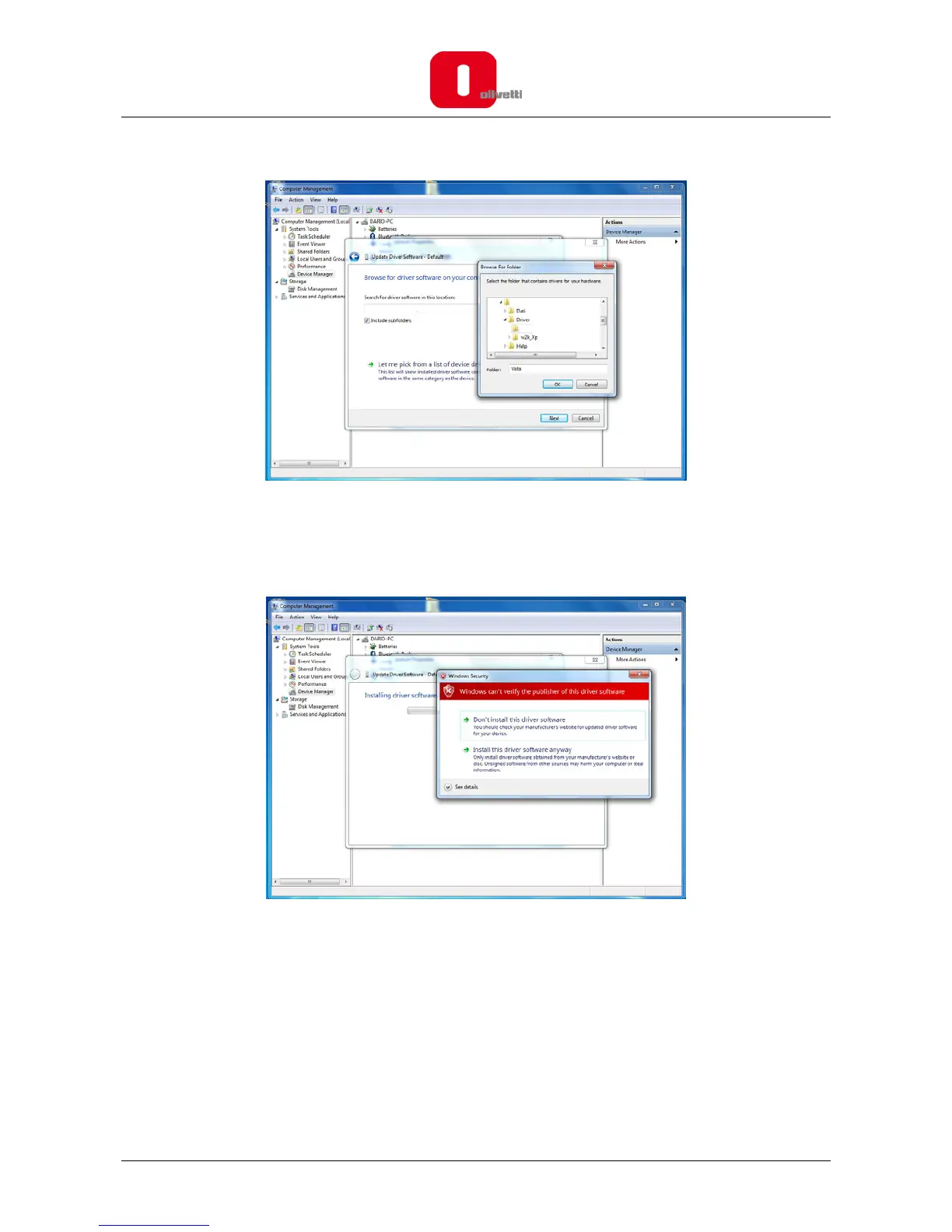
10. Select “Browse my computer for driver software”.
11. Browse for folder and enter the file path in the text box, the default location on your PC is
C:\OLIVETTI_ECR_Utility_82xx\Driver\Vista (32 bit) or Vista_7_X64 (64 bit), and select the folder.
Once the file path is entered in the box, click “OK” to proceed.
C:\OLIVETTI_ECR_UTILITY














 To Next Page