9
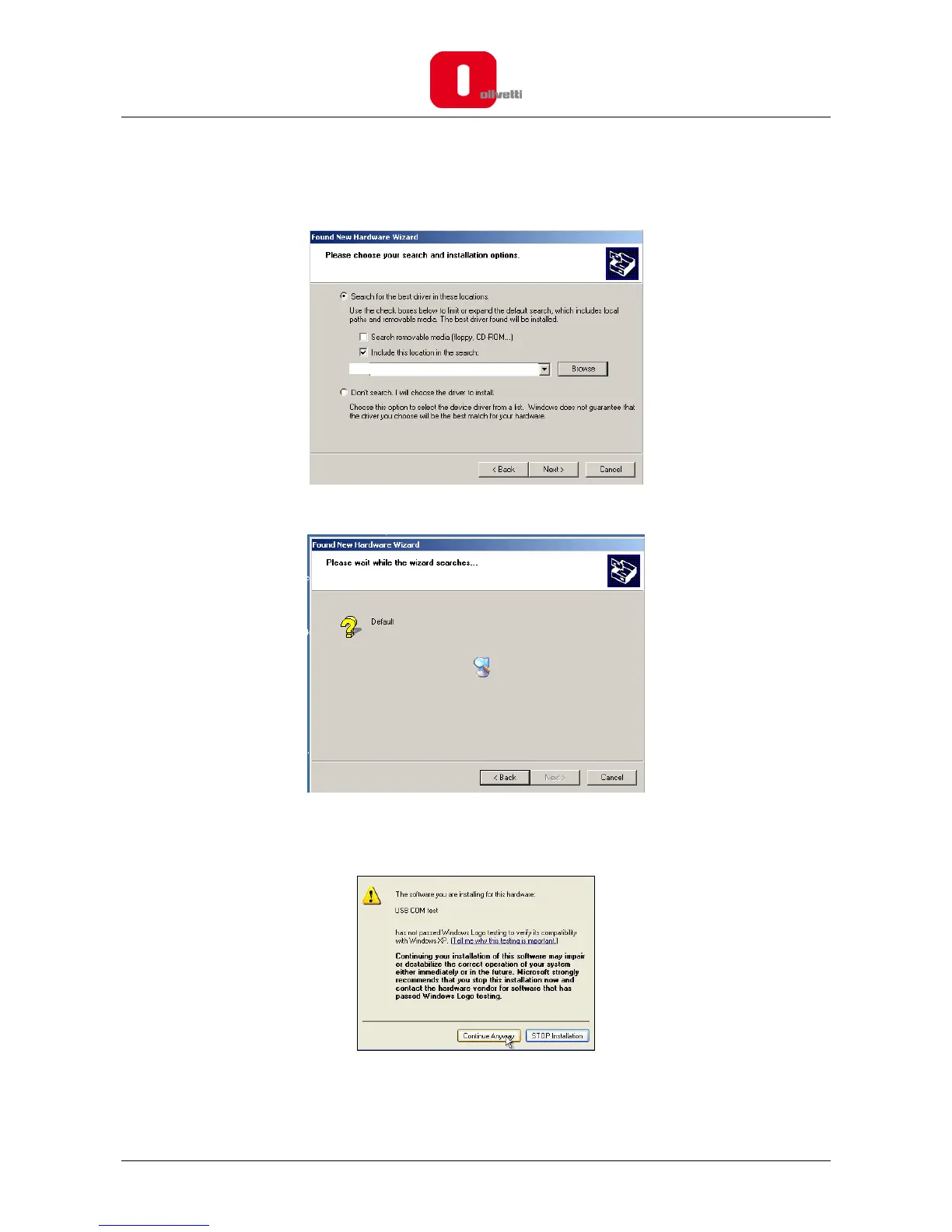
7. Select " Include this location in the search " and enter the file path in the text box (the default
location on your PC is C:\OLIVETTI_ECR_Utility_82xx\Driver\w2k_Xp), or browse to it by clicking the
“Browse” button and then select the folder. Once the file path is entered in the box, click “OK” to
proceed.
8. Click "Next" and wait until the system selects the appropriate driver for your operating system.
9. During installation, a message appears on the screen related to certification of compatibility with
Microsoft products.
Click on Continue anyway.
C:\OLIVETTI_ECR_UTILITY_82














 To Next Page