Putting the Mobile Phone into Operation
Inserting the SIM CardBECCO Plus
13
Putting the Mobile Phone into Operation
This chapter provides information on preparing the mobile phone
for use.
NOTE Before you start, please read the safety information.
Inserting the SIM Card
Before you can start to use the mobile phone, you must insert your
SIM card (not included in the equipment supplied) in the phone.
At certain points of this operating manual, reference is made to
"SIM1". Since this device supports the use of 2 SIM cards (dual
SIM), the settings are also applicable for SIM2 at the respective
points.
The emergency call (SOS) function of the phone is completed by
SIM card 1. If you only use one SIM card, it must be inserted in the
slot for SIM 1!
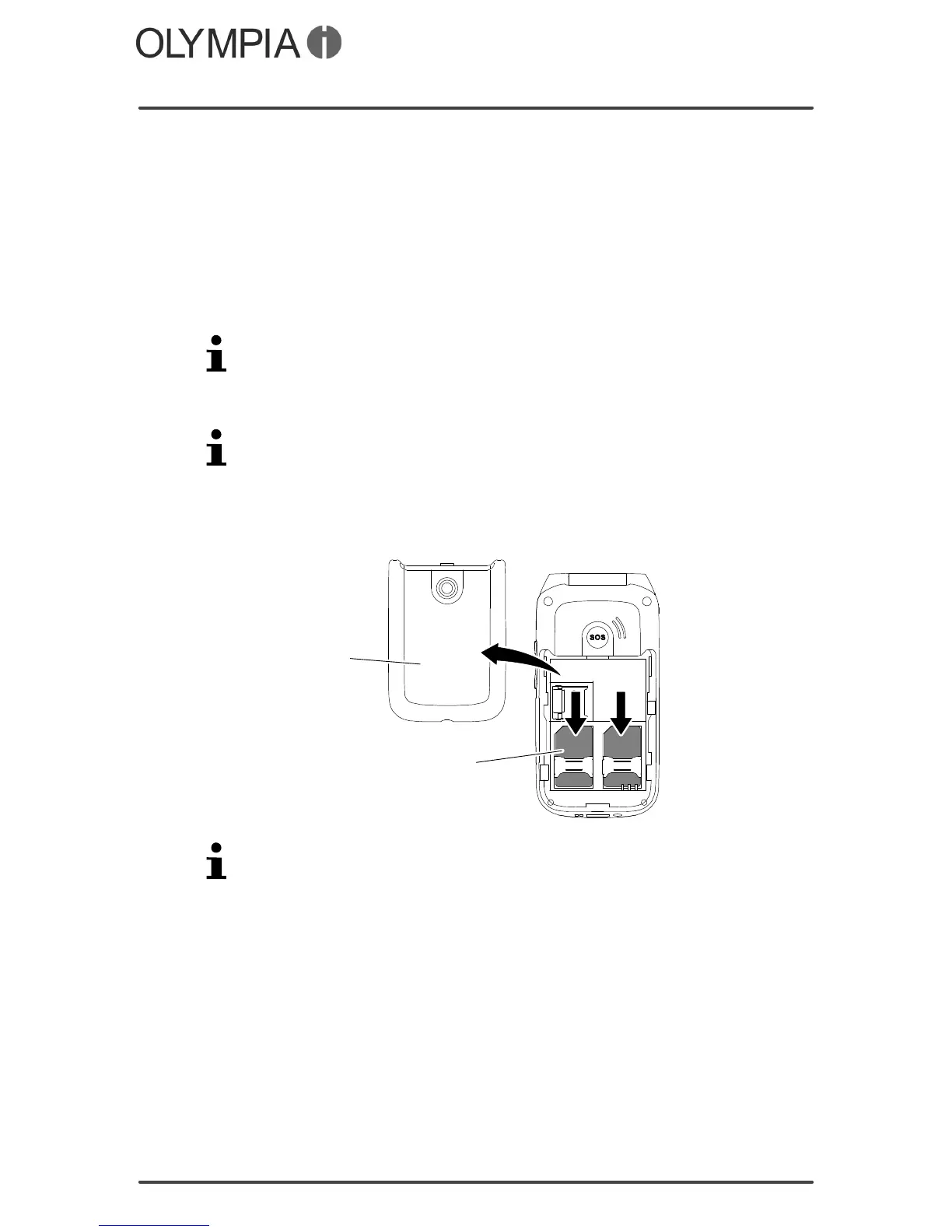
1. Remove the battery compartment cover (1).
2. Insert the SIM card (2) as illustrated.
1
2
The battery compartment contains a useful diagram which indi
cates how to position and align the SIM card correctly in the com
partment.



 To Next Page