G
55
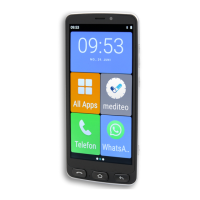
5.10 mediteo
Mediteo,amedicationreminderappcertiedbytheTÜV,isal-
ready installed on the mobile phone. You can use this app to scan
your medication and set-up a reminder for when to administer it.
1 Navigate to ┣All Apps┫ > ┣mediteo┫.
NOTE:Whenopeningmediteoforthersttime,youmustread
the site policy and accept it, if you agree.
2 You can register for a CGM LIFE account, if required, or start
without an account.
3 Follow the instructions provided to set-up and use mediteo.
INFO: Further information is available online at
www.mediteo.com
5.11 Creating a Screenshot
1 Press the On/O button for 3 seconds.
2 Tap on the ┣Screenshot┫ button.
▸ A photo of the current screen content is created.
3 Alternatively: Press the On/O
button and Lower
volume buttonssimultaneously,onlybriey.Aphotoof
the current screen content is made.


 To Next Page