Shooting
2
68
EN
Using various settings
Controlling exposure ( Exposure F)
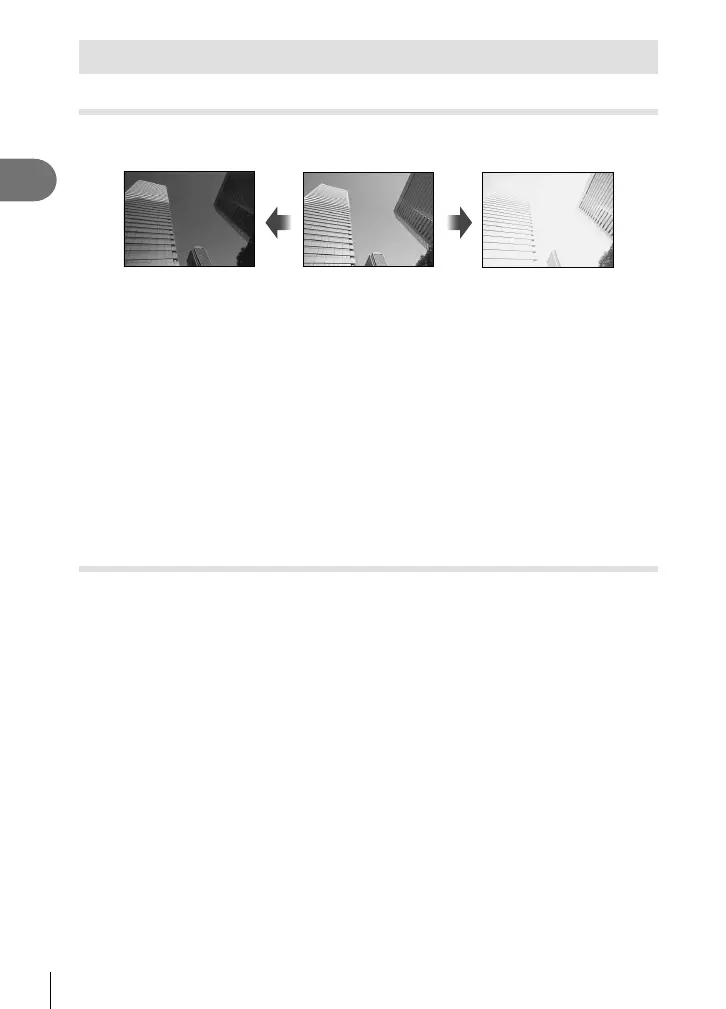
Choose positive (“+”) values to make pictures brighter, negative (“–”) values to make
pictures darker. Exposure can be adjusted by ±5.0 EV.
Negative (–) No compensation (0) Positive (+)
• In mode P, ART mode, movie mode, and some Z modes, exposure compensation can
be adjusted by rotating the control dial or by pressing the F (F) button and then using
HI.
• In modes A and S, exposure compensation can be adjusted by pressing the F (F)
button and then rotating the control dial or using HI.
• Exposure compensation is not available in B, M, or SCN mode or when Live Time or
panorama is selected in Z mode.
• During live view, the brightness of the monitor will be adjusted to a maximum of only
±3.0 EV. If the exposure exceeds ±3.0 EV, the exposure bar will begin fl ashing.
• Movies can be corrected in a range up to ±3.0 EV.
$ Notes
• The role of the control dial can be changed in the G custom menus. g [Dial Function]
(P. 121)
Digital Zoom ( Digital Tele-converter)
Press the Fn button to zoom in beyond the current zoom ratio. The display zoom ratio
will double and any photographs taken will show the area visible in the monitor.
• H is displayed on the monitor.
• If another role is assigned to the Fn button, choose [b] (P. 95).
• To exit digital zoom, press the Fn button again.
• Digital zoom is not available when panorama is selected in SCN mode, multiple
exposure, panorama, or keystone compensation is selected in Z mode or when
[Standard] is selected in movie mode.
• When a RAW image is displayed, the area visible in the monitor is indicated by a frame.
• AF target drops.




 To Next Page