Chapter 4 Operation
41
LF-TP/DP/GP OPERATION MANUAL
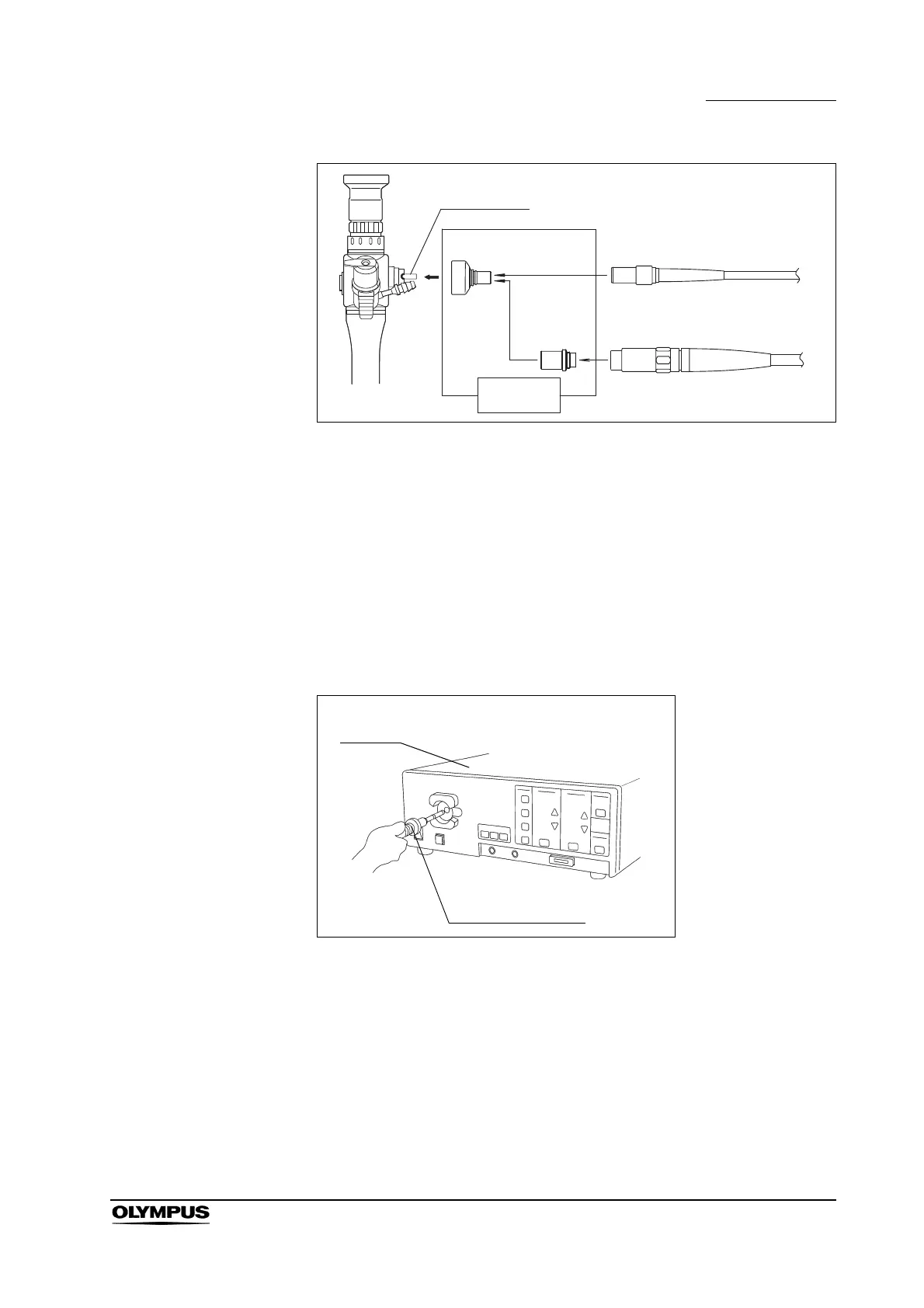
Figure 4.5
4. Rotate the Light Guide Adapter clockwise until it stops.
5. Connect the Light Guide Cable to the Light Guide Adapter (see Figure 4.5).
6. Rotate the Attachment Ring of the Light Guide Cable clockwise until it stops.
7. Insert the Light Guide Connector into the output socket of the Light Source
(see Figure 4.6).
8. Turn the Light Source on, and adjust the brightness level according to the
Light Source’s instruction manual.
Figure 4.6
Light Guide
LG adapter
(A0460)
Light guide cable
A3090, A3091, A3093, A3290,
A3291, A3293
Light guide cable
WA03200A, WA03202A, A03200A
Main body
MAJ-1413
Light
Source
Light Guide Cable










 To Next Page