Chapter 6 Care, Storage and Disposal
135
VIDEO SYSTEM OTV-SI
• If the lamp mounting plate is not pushed in until it stops, the
light intensity may be reduced.
Use only the Olympus Halogen Lamp (MD-151). To order a new lamp, contact
Olympus.
How to replace the lamp
Lamp removal
1. Turn the video system OFF and disconnect the power cord.
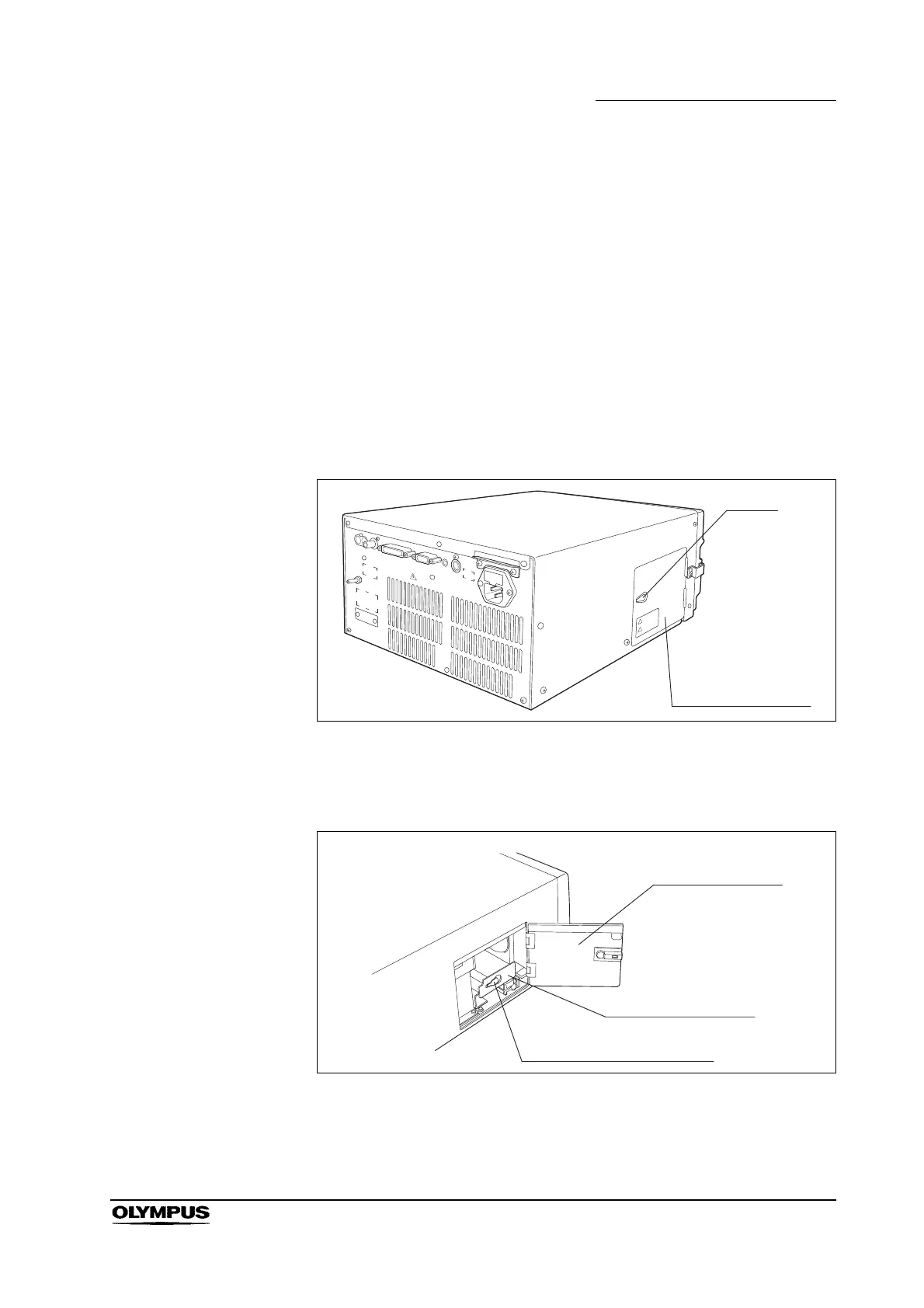
2. After the lamp has cooled, open the lamp access cover by lifting and pulling
the latch (see Figure 6.1).
Figure 6.1
3. Pull out the lamp mounting plate by lifting and pulling its latch (see Figures
6.2 and 6.3).
Figure 6.2
Lamp access cover
Lamp mounting plate
Lamp mounting plate latch



 To Next Page